
TrendCrypt Guide
Crypto Phishing Websites: Warning Signs
Learn how crypto phishing websites copy real platforms, use fake login pages, sponsored ads, wallet prompts, and support messages to steal wallet access or account details.
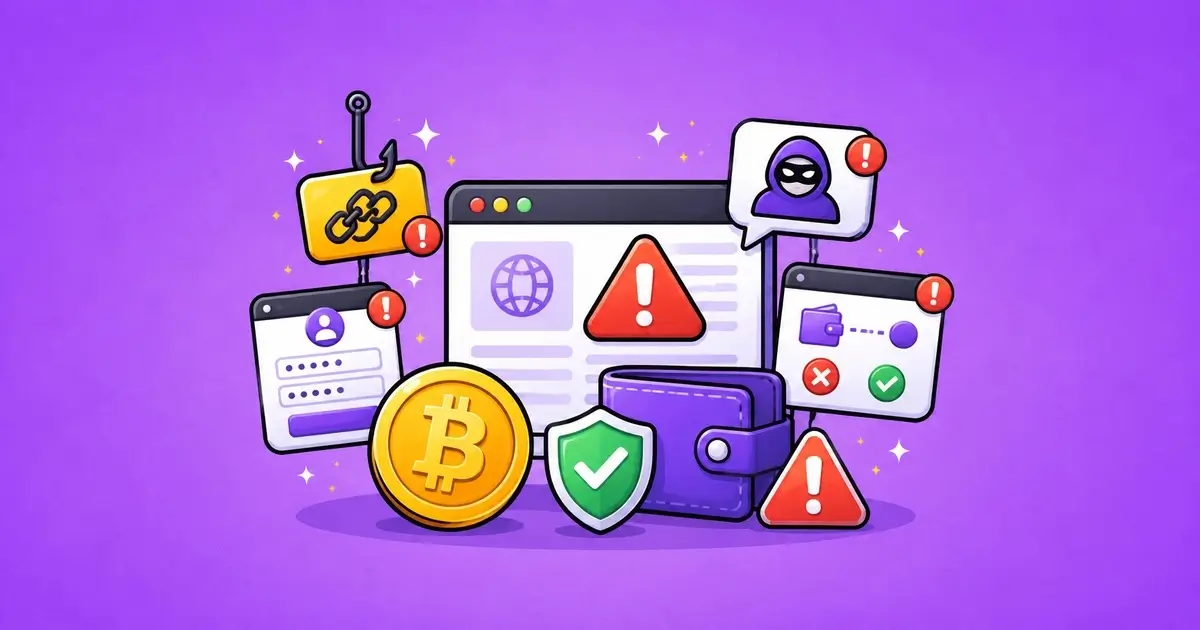
A crypto phishing website is a fake page built to look like a real wallet, exchange, casino, DeFi app, token claim, support portal, or payment service.
Some are obvious. Many are not.
A phishing page can copy the logo, colors, layout, login screen, wallet button, help center, and even the wording of a real platform. The user may only notice something is wrong after entering a password, approving a wallet request, signing a message, or sharing recovery words.
The safest habit is simple: do not judge a page by how polished it looks. Check how you got there, the exact domain, what the page asks you to do, and whether the request makes sense.
This guide explains how crypto phishing websites work, which warning signs matter, and what to do if you already interacted with one.
Related safety pages include Crypto Scams and Warning Signs, Wallet Safety, Wallet Approvals: How to Check and Revoke, Compromised Crypto Wallet: What to Do, and Editorial Policy.
Key Takeaways
- A phishing website can look almost identical to a real crypto platform
- Sponsored search ads, fake support messages, emails, and social replies are common entry points
- A copied logo or clean design does not prove the website is real
- Never enter a seed phrase, private key, wallet password, or recovery words on a website
- Connecting a wallet is less risky than signing, but both should be checked carefully
- If you signed a suspicious approval, review wallet permissions through trusted tools
- If you entered your seed phrase, treat the wallet as compromised
- Save URLs, screenshots, transaction hashes, wallet addresses, and messages as evidence
What Is a Crypto Phishing Website?
A crypto phishing website is a fake website that tries to steal access, information, or wallet permissions by pretending to be something trusted.
It may copy:
- a crypto exchange
- a wallet app
- a casino or betting site
- a DeFi app
- a bridge
- an NFT marketplace
- a token claim page
- a support center
- a recovery service
- a payment or verification page
The goal is usually to make the user take one action.
That action may be entering a password, sharing a recovery phrase, connecting a wallet, signing a message, approving token access, downloading a fake app, or sending funds.
The page may look professional because the scammer copied a real design.
That is why the route into the page matters.
A link from a search ad, support DM, fake email, Telegram message, Discord reply, or copied social account should be treated carefully even if the page itself looks normal.
Warning Signs of a Phishing Website
Some warning signs appear before you connect a wallet or enter details.
Others appear only when the page asks you to act.
Crypto Phishing Website Warning Signs
| Warning Sign | What It May Mean | First Response |
|---|---|---|
| Lookalike domain | The website may be copying a real platform | Check the exact spelling and domain ending |
| Sponsored search ad | A fake site may appear above the real one | Avoid clicking ads for wallet or exchange logins |
| Fake login page | The page may collect your account details | Go to the site through a saved official link |
| Wallet connection prompt | The site may try to make you sign something risky | Stop and read the wallet request carefully |
| Seed phrase request | The site is trying to take full wallet access | Close the page immediately |
The biggest warning sign is a seed phrase request.
A real wallet, exchange, casino, support agent, or payment checker should not need your recovery words to verify an account, fix a deposit, unlock funds, or connect a wallet.
If a website asks for your seed phrase, close it.
How Users Usually Reach Phishing Pages
Many people do not find phishing pages by searching for scams.
They find them while trying to fix something normal.
A missing deposit. A delayed withdrawal. A wallet warning. A token claim. A support question. A login problem. A platform complaint.
That is when fake links work best.
Common Routes Into Crypto Phishing Sites
| Route | Why It Is Risky | Safer Step |
|---|---|---|
| Search result ad | Phishing sites can buy ads around brand names | Type the official URL or use a bookmark |
| Support DM | Fake support often sends “verification” or “recovery” links | Use only support links from the official website |
| Social media reply | Scammers reply under public complaints | Do not trust links in replies or comments |
| Email warning | Fake alerts claim your account or wallet needs action | Check the sender and visit the platform directly |
| Airdrop or claim page | The page may ask for risky approval or signature | Do not connect your main wallet |
A phishing link often appears at the exact moment the user feels rushed.
That timing is part of the trick.
Lookalike Domains
A copied domain can be hard to notice at a glance.
Scammers may use:
- one changed letter
- extra hyphens
- extra words
- unusual domain endings
- fake regional versions
- fake login subdomains
- copied brand names
- misspelled words
- short links that hide the final domain
For example, a fake site may look close enough that a tired user does not notice the difference.
Do not check only the logo.
Check the actual domain in the address bar.
If you are logging in, connecting a wallet, claiming tokens, or checking a deposit, open the platform through a saved bookmark or type the address manually.
If the platform has official social profiles, compare the links there too.
Search Ads Can Be Risky
A search result at the top of the page is not automatically the real website.
Phishing sites sometimes buy ads around wallet names, exchange names, casino names, token claims, bridge names, or support-related searches.
That means a fake site can appear above the real one.
Be careful with searches like:
- platform login
- wallet support
- revoke approvals
- claim token
- exchange withdrawal support
- casino deposit not showing
- wallet recovery
- bridge support
For important crypto actions, avoid the first ad result.
Use bookmarks, official app links, or verified profiles.
Fake Login Pages
A fake login page may copy the real platform and ask for:
- email address
- password
- two-factor code
- recovery code
- phone number
- identity details
- wallet address
- account ID
If you enter those details, the attacker may try to log in to the real account quickly.
That is why two-factor codes are sensitive.
A code may expire fast, but it can still be useful to a scammer in the moment.
If you reached the login page from an email, message, ad, or social media link, stop and open the platform directly.
Do not use the link that created the urgency.
Fake Wallet Connection Pages
Some phishing websites do not ask for a password.
They ask you to connect a wallet.
Connecting a wallet usually lets the page see your public address and request actions. That alone is not always enough to move funds.
The risky part is what comes next.
The page may ask you to:
- approve a token
- approve an NFT collection
- sign a permit
- sign an unreadable message
- claim a fake airdrop
- verify wallet ownership
- “sync” or “validate” the wallet
- connect again after a failed attempt
Read the wallet prompt before confirming.
If the prompt is unclear, unexpected, or unrelated to what you were trying to do, reject it.
For approval risk, read Wallet Approvals: How to Check and Revoke.
What to Check Before Logging In or Connecting a Wallet
A few checks can prevent many phishing mistakes.
Checks Before Using a Crypto Website
| Check | Why It Matters | What to Do |
|---|---|---|
| Domain spelling | Small changes can hide a fake site | Check every character before logging in |
| HTTPS only | HTTPS is not proof the site is real | Use it as a minimum check, not a trust signal |
| Official links | Real platforms usually link from verified profiles | Compare with the platform’s official website and profiles |
| Wallet prompt | The request may approve spending or sign permission | Read the action before confirming |
| Account request | Phishing pages may ask for 2FA codes or passwords | Do not enter codes on pages reached from suspicious links |
HTTPS is not enough.
Many fake sites use HTTPS. The lock icon only means the connection to that domain is encrypted. It does not prove the domain belongs to the real platform.
The stronger check is whether the domain itself is correct.
Seed Phrase Requests Are Never Normal
A seed phrase is not a login password.
It is not a support code.
It is not a wallet verification method.
It is not needed to check a transaction.
It is not needed to fix a missing deposit.
It is not needed to revoke approvals.
It is not needed to unlock a withdrawal.
If a website asks for a seed phrase, private key, or recovery words, treat the page as unsafe.
Once a seed phrase is exposed, the wallet should not be trusted again.
The safer step is usually to create a clean wallet and move unaffected funds when safe.
Read Compromised Crypto Wallet: What to Do if this already happened.
Phishing Around Missing Deposits and Withdrawals
Phishing often appears after a public complaint.
A user posts that a deposit is missing or a withdrawal is delayed. Then a fake support account replies with a link.
The message may sound helpful:
- “sync your wallet”
- “validate your deposit”
- “open a ticket here”
- “connect to release funds”
- “verify ownership”
- “use this recovery portal”
- “message our agent”
- “pay gas to unlock the withdrawal”
Do not use support links from replies, comments, private messages, or Telegram accounts unless you can verify them from the official website.
If your deposit is missing, use the TXID and platform support page directly. Read Crypto Deposit Not Showing? What to Check.
If your withdrawal is delayed, read Delayed Crypto Casino Withdrawals.
Fake Support Pages
A fake support page may look more serious than a normal scam message.
It may have a ticket number, chat box, help center layout, logo, staff names, and copied FAQ text.
That still does not prove it is real.
Check:
- support link from the official website
- official email domain
- verified social profiles
- whether support moved you to a private wallet link
- whether support asked for seed phrases or codes
- whether the page uses a strange domain
- whether the support agent gives payment instructions to a private wallet
Real support may ask for a transaction hash, account email, username, order ID, or screenshot.
Real support should not ask for recovery words or private keys.
If You Already Used a Phishing Website
The right response depends on what you did.
What to Do After Using a Possible Phishing Website
| What Happened | Possible Risk | First Response |
|---|---|---|
| Entered password | Change it from the real website and secure email access | |
| Entered 2FA code | Check account sessions and contact official support | |
| Connected wallet only | Disconnect the site and check whether anything was signed | |
| Signed approval | Review and revoke suspicious approvals through trusted tools | |
| Entered seed phrase | Treat the wallet as compromised and move funds when safe |
Do not hide or delete the evidence.
Save the link, screenshots, emails, support messages, transaction hashes, wallet addresses, and times.
If an exchange or platform account is involved, secure the account from the real website, not through the suspicious link.
If a wallet is involved, check approvals, activity, and whether a seed phrase may have been exposed.
If You Entered a Password
If you entered a password on a phishing site, assume that password is exposed.
From the real website, not the suspicious link:
- change the password
- log out other sessions if possible
- check login history
- check withdrawal addresses
- check API keys
- check linked email and phone settings
- enable or reset two-factor authentication
- check whether the same password was used elsewhere
If you reused the same password on other accounts, change those too.
Start with email, exchange, wallet-related accounts, and anything connected to money.
If You Signed a Wallet Request
If you signed something on a phishing page, check what the signature did.
Look for:
- token approvals
- NFT approvals
- permit signatures
- unknown contract interactions
- outgoing transactions
- approval changes
- new wallet activity after the signature
If the approval is suspicious, revoke it through a trusted tool or official wallet guidance.
Do not use revoke links sent by the same support account, email, or website that caused the problem.
Fake revoke pages are common follow-up traps.
If You Entered a Seed Phrase
If you entered a seed phrase on a website, treat the wallet as compromised.
Do not keep using it as normal.
Do not import the same phrase into more apps.
Do not assume a password change can fix it.
The seed phrase can allow someone to restore the wallet somewhere else. That risk is different from a single token approval.
Create a new wallet with a fresh seed phrase on a trusted device, then move unaffected funds when safe.
If gas disappears or transactions happen quickly after adding funds, there may be a sweeper bot watching the wallet. Stop and review the situation carefully before trying again.
Mistakes to Avoid
Phishing works best when the user is rushed.
Mistakes to Avoid With Crypto Phishing Websites
| Mistake | Why It Can Make Things Worse |
|---|---|
| Rushing because of urgency | Phishing pages often claim your account will be locked |
| Trusting the logo | Copied logos and layouts are easy to fake |
| Entering a seed phrase | Recovery words give full wallet access |
| Clicking the first search result | Ads can appear above the real website |
| Using the same password elsewhere | A stolen login can expose other accounts too |
The most dangerous mistake is trusting a second link after the first one caused a problem.
Scammers often follow up with fake recovery pages, fake revoke tools, and fake support tickets.
Safer Habits
You cannot remove every risk, but you can make phishing harder.
Useful habits include:
- bookmark important crypto websites
- avoid wallet and exchange login ads
- check domains before signing in
- use a separate wallet for unfamiliar apps
- keep long-term funds away from daily-use wallets
- read wallet prompts before signing
- review approvals after risky activity
- use unique passwords
- protect email access
- enable two-factor authentication where possible
- avoid browser extensions you do not need
- never share recovery words
One careful habit can prevent a large loss.
The goal is not to become paranoid about every page.
The goal is to slow down before giving a website power over an account or wallet.
Report a Phishing Website
If you found a phishing website, fake support page, copied login screen, suspicious wallet connection page, or fake recovery portal, you can send a redacted report to [email protected].
Useful details may include:
- phishing URL
- copied brand name
- screenshots
- email address or sender
- social media account
- support username
- wallet address
- transaction hash
- contract address
- how you found the page
- a short timeline
Do not send seed phrases, private keys, wallet passwords, authentication codes, full identity documents, or anything that could give access to your wallet or accounts.
TrendCrypt can review patterns and publish safety warnings, but we cannot remove websites, access accounts, reverse blockchain transactions, recover funds, or guarantee platform action.
Final Thoughts
A crypto phishing website does not need to look broken.
It only needs to look familiar at the right moment.
A copied login page, fake support link, sponsored ad, wallet prompt, or claim page can be enough to make a user act too quickly.
Check the route into the page. Check the domain. Be careful with wallet prompts. Never enter seed phrases. Do not trust support links from DMs, replies, comments, or ads.
If you already interacted with a suspicious page, the next step depends on what happened: password entered, wallet connected, approval signed, or seed phrase exposed.
The sooner you separate those cases, the easier it is to respond without making the problem worse.
FAQ
What is a crypto phishing website?
A crypto phishing website is a fake page that copies a real wallet, exchange, casino, DeFi app, support portal, or token claim page to steal login details, wallet permissions, recovery phrases, or funds.
Can a phishing website look real?
Yes. Many phishing pages copy real logos, layouts, login screens, and support wording. The exact domain and the action requested are more important than the design.
Is connecting my wallet to a phishing site enough to lose funds?
Connecting alone is usually less risky than signing a transaction or approval, but it still deserves caution. Check whether you signed anything or approved token access.
What if I signed a wallet approval on a phishing website?
Review wallet approvals on the correct network and revoke suspicious permissions through trusted tools or official wallet guidance. Do not use revoke links sent by strangers.
What if I entered my seed phrase on a website?
Treat the wallet as compromised. Create a new wallet with a fresh seed phrase and move unaffected funds when safe.
Are sponsored search results safe for crypto websites?
Not always. Phishing sites can buy ads around wallet, exchange, casino, or token names. For important actions, use bookmarks or official links.
Does HTTPS mean a crypto website is safe?
No. HTTPS only means the connection is encrypted. A phishing site can also use HTTPS.
How can I report a phishing page to TrendCrypt?
Send a redacted report to [email protected] with the URL, screenshots, sender details, wallet addresses, transaction hashes, and a short timeline. Do not send seed phrases or private keys.
Unexpected KYC During Withdrawal: What to Check
Learn what to check when a crypto platform or crypto casino asks for KYC during withdrawal, including verification timing, requested documents, privacy rules, support channels, and payout status.
Crypto Casino and Betting Scams: Warning Signs
Learn how crypto casino and betting scams use unclear ownership, fake bonuses, cloned sites, withdrawal release fees, private support messages, fake KYC links, and wallet-drainer tactics.
Fake Crypto Support Scams: Warning Signs
Learn how fake crypto support accounts target users after wallet, withdrawal, deposit, KYC, or account problems by pretending to represent platforms, exchanges, casinos, wallets, or recovery teams.