
TrendCrypt Guide
Crypto Deposit Not Showing? What to Check
Learn what to check when a crypto deposit is confirmed on the blockchain but not showing in your platform balance, including network, address, confirmations, token contract, minimum amount, and support evidence.
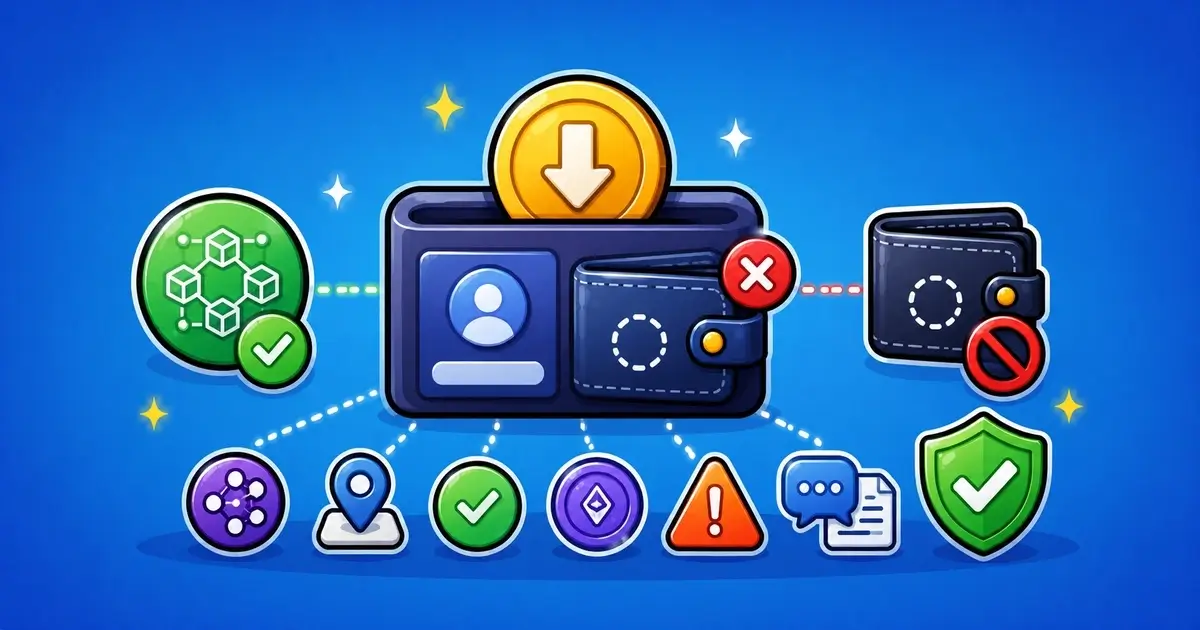
A crypto deposit can be confirmed on the blockchain and still not appear in a platform balance right away.
That does not always mean the funds are lost.
It also does not mean the platform has credited the deposit.
A blockchain confirmation only proves that a transaction happened on a network. The platform still has to recognize the asset, support the network, match the address, apply confirmation rules, and credit the right user account.
This guide explains what to check when a crypto deposit is confirmed but not showing on a platform, exchange, wallet app, casino, or betting account.
Related safety pages include Crypto Payments and Transfer Safety, Solve a Problem, How to Check a Crypto Platform, Crypto Casino Safety Guide, and Editorial Policy.
Key Takeaways
- A confirmed blockchain transaction does not always mean the platform has credited it
- Check the TXID, network, deposit address, asset, token contract, and confirmation count
- Wrong-network deposits may need manual review and may not always be recoverable
- Some coins require a memo, tag, or payment ID to credit the correct account
- Deposits below the platform minimum may not appear automatically
- Do not send the same deposit again until you understand what happened
- Save screenshots, wallet records, TXIDs, addresses, and support messages
- Never share your seed phrase, private key, or wallet password with support
First, Check the Transaction
Start with the transaction itself.
Open your wallet and copy the transaction hash, often called the TXID.
Then check it on the correct block explorer for the network you used.
For example, an Ethereum transaction should be checked on an Ethereum explorer. A TRON transaction should be checked on a TRON explorer. Solana, BNB Chain, Polygon, Bitcoin, Litecoin, and other networks have their own explorers.
Do not enter your seed phrase into any explorer.
A block explorer only needs public information such as the transaction hash or wallet address.
First Checks for a Missing Crypto Deposit
| Check | Why It Matters | What to Do |
|---|---|---|
| Transaction hash | Shows whether the transfer exists on-chain | Copy the TXID from your wallet |
| Network used | The platform may only support certain networks | Compare the network with the deposit page |
| Deposit address | Funds may be sent to the wrong or old address | Match the address character by character |
| Confirmations | The platform may wait before crediting funds | Check the required confirmation count |
| Token contract | Wrong token versions may not be credited automatically | Verify the exact asset and contract |
Confirmed on Blockchain vs Credited by Platform
This is the part that causes confusion.
A blockchain confirmation means the network processed the transaction.
A platform credit means the platform found that transaction, accepted it under its own rules, and added the balance to your account.
Those are different steps.
A transaction can be confirmed on-chain but not credited if:
- the platform requires more confirmations
- the wrong network was used
- the asset is not supported on that network
- the deposit was below the minimum amount
- a memo, tag, or payment ID was missing
- the platform’s deposit system is delayed
- the token contract does not match the supported token
- the deposit address was old, expired, or copied incorrectly
- the platform is reviewing deposits manually
So before assuming the worst, separate these two questions:
Did the transaction happen on the blockchain?
Did the platform accept that transaction for your account?
The first answer comes from the block explorer.
The second answer comes from the platform’s deposit rules and support team.
Common Reasons a Deposit Does Not Show
A missing deposit usually comes down to a few practical checks.
Why a Confirmed Crypto Deposit May Not Show
| Reason | What It Means | Next Step |
|---|---|---|
| Not enough confirmations | The blockchain transfer is visible but not final enough for the platform | Wait and check the platform’s confirmation rule |
| Wrong network | The asset was sent on a network the platform may not support | Do not send another transfer until support replies |
| Wrong token contract | The symbol may look correct but the token may be different | Save the contract address and contact support |
| Below minimum deposit | The amount may be too small for automatic crediting | Check the deposit minimum for that asset/network |
| Memo or tag missing | Some coins need an extra identifier to credit the right account | Save the TXID and account details for support |
Check the Network Carefully
The network is one of the most common reasons a deposit goes missing.
Many assets exist on more than one chain.
USDT can exist on TRON, Ethereum, BNB Chain, Polygon, Solana, and other networks. USDC, ETH, BTC-related tokens, and many exchange assets can also appear in different forms.
The token name alone is not enough.
You need to match:
- asset
- network
- deposit address
- token contract, when relevant
- platform-supported deposit route
If the platform gave you a TRON USDT address and you sent USDT on Ethereum, the transaction may be confirmed but not credited automatically.
If you sent a token on an unsupported network, do not send more funds to fix it.
Save the TXID and contact support with the exact details.
For a deeper guide, read Wrong Crypto Network Transfers Explained.
Check the Deposit Address
Compare the address you used with the address shown on the platform deposit page.
Check:
- first characters
- last characters
- full copied address
- asset selected on the platform
- network selected on the platform
- whether the platform generated a new address
- whether the deposit page says old addresses expire
- whether a memo, tag, or payment ID was required
Some platforms reuse addresses. Others generate new ones or attach account-specific identifiers.
Do not rely only on a screenshot from memory.
Open the platform, check the current deposit page, and compare it with the transaction record from your wallet.
If the platform changed the address after you deposited, save screenshots showing both the old and current deposit information if you have them.
Check Memos, Tags, and Payment IDs
Some crypto deposits need more than an address.
Depending on the asset and platform, a deposit may require:
- memo
- tag
- destination tag
- payment ID
- note
- reference code
This is common with some exchange-style deposits because many users may send funds to the same main address.
If the memo or tag was missing, the platform may receive the funds but not know which account should be credited.
Do not guess or send a second transaction with a different memo.
Contact support with the TXID, address, amount, asset, network, and your account details.
Check the Minimum Deposit Amount
Many platforms set minimum deposit amounts.
If you send less than the minimum, the deposit may not be credited automatically. Some platforms may credit it after another deposit. Others may not recover it.
Check the deposit page for:
- minimum deposit amount
- minimum network-specific amount
- fee rules
- supported token standard
- crediting rules for small deposits
This matters especially when network fees reduce the received amount.
For example, if a platform requires a minimum received amount and the final received value is below that threshold, the deposit may not appear as expected.
Save the platform’s rule if you can. A screenshot of the deposit minimum can help when contacting support.
Check Confirmation Requirements
A transaction can show as successful in your wallet before a platform credits it.
Platforms often wait for a number of confirmations before adding funds to the account.
This waiting time depends on:
- blockchain network
- asset
- platform risk rules
- deposit size
- network congestion
- internal review
- maintenance or wallet delays
Bitcoin deposits may need several confirmations. Some fast networks may still be held by the platform for review.
If the transaction is recent, check the platform’s confirmation rule before opening multiple support tickets.
If the required confirmations passed and the balance still does not show, save the evidence and contact support.
Check Token Contract Details
Token names can be misleading.
Two tokens can share the same symbol while being completely different assets.
A fake or unsupported token can appear to have the right name but use the wrong contract address.
This is common with stablecoins, bridged tokens, wrapped assets, and low-liquidity tokens.
Check:
- token symbol
- token contract address
- network
- platform-supported token details
- whether the platform accepts bridged versions
- whether the token is native or wrapped
If the token contract does not match what the platform supports, automatic crediting may fail.
Do not assume that “USDT,” “USDC,” “ETH,” or “BTC” means the same thing on every network or platform.
Check Platform Status and Maintenance
Sometimes the deposit is correct, but the platform is delayed.
Look for:
- wallet maintenance notices
- paused deposits
- network congestion notices
- delayed crediting warnings
- asset-specific deposit issues
- status page updates
- support announcements
- social media posts from the official account
Use official sources only.
Do not trust random replies under social media posts. Fake support accounts often appear when users mention missing deposits publicly.
If maintenance is active, save the status notice and wait for the platform’s update. If the platform gives no timeline and support does not respond, keep records of every message.
Contact Support With the Right Details
Support can usually work faster when the message is clear.
Send facts, not guesses.
Include:
Details to Send Support
| Detail | Why It Helps |
|---|---|
| TXID / transaction hash | Lets support find the blockchain transfer |
| Deposit address | Shows where the funds were sent |
| Network name | Confirms whether the chain is supported |
| Asset and amount | Helps compare wallet send details with platform rules |
| Time and screenshots | Creates a clear timeline of the deposit attempt |
Here is a simple message you can adapt:
Hello, my crypto deposit has not been credited yet.
Asset: [asset]
Network: [network]
Amount: [amount]
TXID: [transaction hash]
Deposit address used: [address]
Date/time sent: [date and time]
The transaction appears confirmed on-chain. Can you check whether it is waiting for confirmations, manual review, or unsupported deposit handling?
Do not send your seed phrase, private key, wallet password, authentication code, or full identity documents through a normal support chat unless the platform has a secure and verified process for document review.
Watch Out for Fake Support
Missing-deposit problems attract scammers.
If you post publicly about a missing deposit, fake support accounts may reply within minutes.
They may say:
- “connect your wallet here”
- “validate your wallet”
- “sync your deposit”
- “send gas to release funds”
- “message this agent”
- “fill this recovery form”
- “share your seed phrase to verify ownership”
- “pay a fee to unlock the transaction”
Do not follow those links.
A real platform support team does not need your seed phrase to find a deposit.
A blockchain transaction can be checked with a TXID.
If you connected your wallet to a suspicious recovery page or signed something you do not understand, read Compromised Crypto Wallet: What to Do before using that wallet again.
Mistakes to Avoid
When a deposit is missing, it is easy to make the problem bigger.
Mistakes to Avoid When a Crypto Deposit Is Missing
| Mistake | Why It Can Make Things Worse |
|---|---|
| Sending the same deposit again | You may repeat the same mistake before knowing what happened |
| Using a different network to “fix” it | A second transfer can create a second problem |
| Trusting fake support DMs | Scammers target users who complain about missing deposits |
| Deleting wallet history | You may lose useful proof for support |
| Sharing seed phrases | No platform needs recovery words to find a deposit |
When the Platform May Be the Problem
Sometimes the issue is not your transaction.
The platform itself may be slow, unclear, or unsafe.
Warning signs include:
- support avoids answering direct questions
- the platform asks for extra crypto to credit the deposit
- support moves you to private messaging apps
- the platform changes its explanation several times
- the deposit page had unclear or missing network warnings
- the account is suddenly restricted after you ask about funds
- the platform claims the transaction is missing even though it is visible on-chain
- the platform refuses to provide a written explanation
A delayed credit is not automatically a scam.
But a platform that keeps asking for extra payments, avoids evidence, or refuses to explain its own rules deserves caution.
For broader checks, use How to Check a Crypto Platform.
If this happened on a crypto casino or betting site, also read Crypto Casino Safety Guide.
Save Evidence Before Changing Anything
Save your records before deleting chats, changing accounts, or sending more funds.
Keep:
- TXID
- wallet address
- deposit address
- asset name
- network name
- token contract, if relevant
- amount sent
- date and time
- platform username or account email
- deposit page screenshot
- support messages
- maintenance notices
- withdrawal or balance screenshots
- any error message shown by the platform
A clean timeline helps more than a long argument.
If support is slow, send one organized message and wait for a clear reply. Sending many rushed messages can make the case harder to follow.
Report a Missing Deposit Pattern
If a platform repeatedly fails to credit confirmed deposits, gives unclear network instructions, blocks users after deposit questions, or demands extra crypto to release funds, you can send a redacted report to [email protected].
Useful details may include:
- platform URL
- asset and network
- TXID
- deposit address
- screenshots of the deposit page
- support replies
- timeline of events
- whether the platform later credited the funds
- whether extra payment was requested
Do not send seed phrases, private keys, wallet passwords, authentication codes, full identity documents, or anything that could provide account or wallet access.
TrendCrypt can review patterns and publish safety warnings, but we cannot access accounts, force a platform to credit funds, reverse blockchain transactions, or guarantee recovery.
Final Thoughts
A confirmed transaction and a credited platform balance are not the same thing.
If your crypto deposit is missing, start with the basics: TXID, network, address, confirmations, token contract, minimum amount, and memo or tag requirements.
Do not send the same deposit again just because the first one has not appeared.
Do not trust random recovery links.
Do not share recovery words.
If the transaction was sent correctly, support should be able to review it with the transaction hash and deposit details. If the wrong network, wrong token, or missing memo was used, the case may need manual review and may not always be recoverable.
The best response is calm and documented: check the blockchain, compare the platform rules, save evidence, contact support clearly, and avoid turning one missing deposit into a second loss.
FAQ
Why is my crypto deposit confirmed but not showing?
A blockchain confirmation only means the transaction was processed on-chain. The platform still has to recognize the network, asset, address, confirmations, token contract, and account match before crediting your balance.
How long does a crypto deposit take to show?
It depends on the network and the platform’s rules. Some deposits appear quickly. Others wait for more confirmations, manual review, wallet maintenance, or internal checks.
What should I check first if my deposit is missing?
Check the transaction hash, network, deposit address, asset, token contract, confirmation count, minimum deposit amount, and whether a memo or tag was required.
Can a wrong-network deposit be recovered?
Sometimes, but not always. It depends on the network, address type, platform wallet setup, and whether the platform supports manual recovery. Contact support with the TXID and exact network details.
What if I forgot a memo or tag?
The platform may have received the funds but not know which account to credit. Contact support with the TXID, address, amount, asset, network, and your account details.
Should I send another deposit to fix a missing one?
Not until you know what happened. A second deposit can repeat the same mistake or create a new problem.
Can support ask for my seed phrase to find a deposit?
No. A platform can check a deposit with public transaction details such as the TXID and deposit address. Do not share seed phrases, private keys, or wallet passwords.
What if support asks for extra crypto to credit my deposit?
Be very cautious. Fees, taxes, or unlock payments sent to private addresses can be a scam warning sign. Ask for written rules and verify the platform before sending anything else.
Unexpected KYC During Withdrawal: What to Check
Learn what to check when a crypto platform or crypto casino asks for KYC during withdrawal, including verification timing, requested documents, privacy rules, support channels, and payout status.
Crypto Casino and Betting Scams: Warning Signs
Learn how crypto casino and betting scams use unclear ownership, fake bonuses, cloned sites, withdrawal release fees, private support messages, fake KYC links, and wallet-drainer tactics.

Fake Crypto Support Scams: Warning Signs
Learn how fake crypto support accounts target users after wallet, withdrawal, deposit, KYC, or account problems by pretending to represent platforms, exchanges, casinos, wallets, or recovery teams.