
TrendCrypt Guide
Compromised Crypto Wallet: What to Do
Stop signing transactions, identify whether the risk is a leaked seed phrase, suspicious approval, unknown transaction, or fake support message, and learn safer next steps.
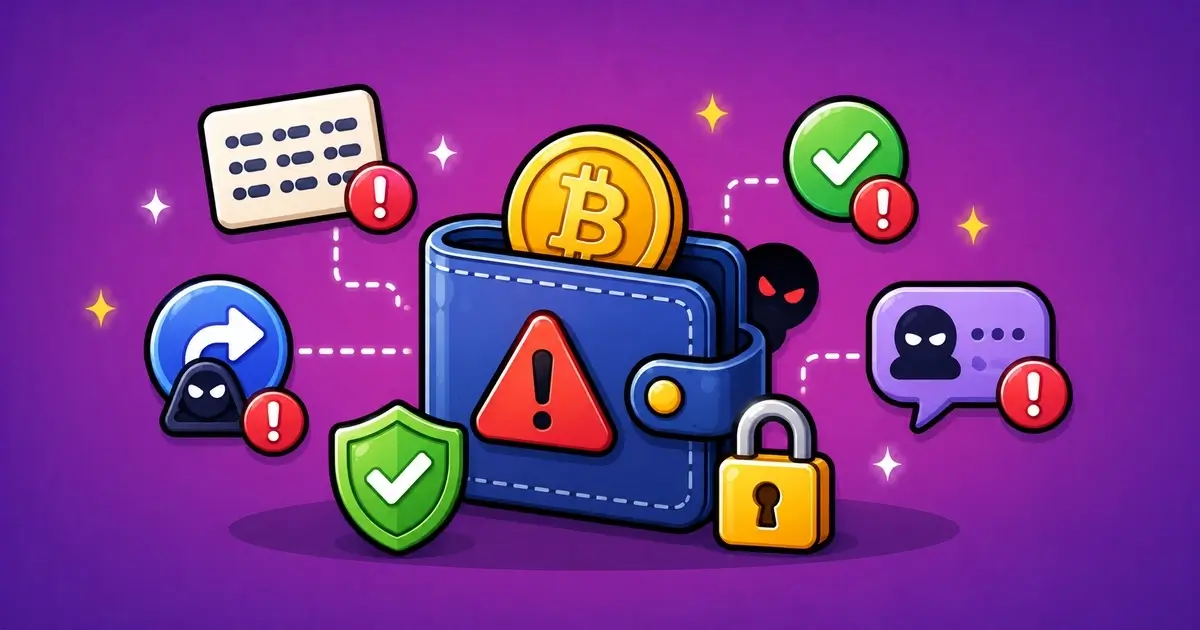
If your crypto wallet may be compromised, stop using it normally. Do not sign another transaction, connect to another website, download a recovery tool, or share your seed phrase with anyone.
The next step depends on what actually happened.
A leaked seed phrase is different from a suspicious token approval. An unknown outgoing transaction is different from a fake support message. If you treat every case the same way, you may either overreact or miss the real danger.
This guide explains how to slow down, identify the risk, protect what remains, and avoid the follow-up scams that often appear after a wallet incident.
For prevention, read How to Store Crypto Safely. Related safety pages include Wallet Safety, Crypto Scams and Warning Signs, Solve a Problem, Wrong Crypto Network Transfers Explained, and Editorial Policy.
Key Takeaways
- Stop signing transactions if you think the wallet is compromised
- Never share a seed phrase, private key, or recovery words with support accounts
- A leaked seed phrase is more serious than a single suspicious token approval
- Review wallet approvals only through trusted tools or official wallet guidance
- Move unaffected funds to a fresh wallet when it is safe to do so
- Be careful adding gas to a compromised wallet because sweeper bots may monitor it
- Save TXIDs, wallet addresses, screenshots, URLs, and messages as evidence
- Avoid recovery agents who ask for upfront payment or private wallet details
What Does a Compromised Wallet Mean?
A compromised wallet means someone or something may have access to your funds, approvals, or private wallet information.
This can happen in several ways.
A scammer may have your seed phrase.
A malicious contract may have permission to move certain tokens.
A fake app may have captured sensitive information.
A phishing page may have tricked you into signing a transaction.
These situations are not equal.
If someone has your seed phrase, they may be able to restore the full wallet somewhere else.
If you only approved one token contract, the risk may be limited to that token, that contract, and that network.
If you are not sure which one happened, treat the wallet carefully until you know more.
Signs Your Wallet May Be Compromised
Some warning signs are obvious. Others are easy to miss.
A missing balance is not the only clue. A strange approval, unexpected wallet prompt, fake support message, or new device alert can also point to a problem.
Signs Your Wallet May Be Compromised
| Warning Sign | What It May Mean | First Response |
|---|---|---|
| Unknown outgoing transaction | Funds moved without your approval | Treat the wallet as high risk |
| Suspicious approval | A contract may be allowed to spend tokens | Review and revoke unnecessary permissions |
| Seed phrase entered online | The full wallet may be exposed | Move funds to a new wallet if safe |
| Fake support contact | Someone may be trying to continue the scam | Stop replying and use official channels only |
| New login or device alert | An account linked to the wallet may be exposed | Change passwords and secure email access |
Stop Before You Sign Anything Else
The first response is simple: stop interacting.
Do not:
- connect the wallet to new websites
- approve new token permissions
- sign unknown messages
- enter your seed phrase anywhere
- download “recovery” software
- respond to random support messages
- send more crypto to unlock funds
- rush into a transaction you do not understand
A compromised wallet situation can feel urgent. It is normal to feel rushed, especially if money has already moved. That pressure is exactly why it helps to pause before clicking anything else.
Take a few minutes to understand whether the problem is an approval, a transaction, a phishing page, a leaked phrase, or a fake support contact.
A slow, clean response is usually safer than ten rushed clicks.
Check What Actually Happened
Before moving funds or revoking approvals, try to identify the risk.
Look for:
- unknown outgoing transactions
- strange token approvals
- recent wallet connections
- new browser extensions
- fake wallet apps
- messages from fake support accounts
- emails asking for wallet verification
- sites that asked for a seed phrase
- “claim,” “sync,” “validate,” or “unlock” pages
- transactions signed around the time the problem started
Use the wallet’s activity tab and a block explorer for the correct network.
For example, Ethereum activity should be checked on an Ethereum explorer. TRON, Solana, BNB Chain, Polygon, and other networks have their own explorers.
Do not type your seed phrase into a block explorer.
Public transaction checking does not require recovery words.
Seed Phrase Risk vs Approval Risk
This is the most important distinction.
A seed phrase problem means the wallet itself may be exposed.
An approval problem means a contract may have permission to move certain assets.
Wallet Risk Levels and First Response
| What Happened | Likely Risk | First Response |
|---|---|---|
| Seed phrase exposed | The whole wallet may be unsafe | Create a new wallet and move funds when safe |
| Private key exposed | The affected wallet address may be unsafe | Do not keep using that wallet |
| Suspicious token approval | One token or contract may be at risk | Review and revoke through trusted tools |
| Unknown outgoing transaction | Funds may already have moved | Save the TXID and check remaining assets |
| Fake support message only | The wallet may not be exposed yet | Stop replying and verify through official channels |
If the seed phrase was exposed
Treat the wallet as compromised.
You usually cannot “change” the seed phrase for the same wallet. The safer path is to create a new wallet with a fresh recovery phrase and move funds there when possible.
Do not reuse the old seed phrase.
Do not import it into more apps.
Do not store it in cloud notes, screenshots, email drafts, or chat messages.
If only an approval was signed
The risk may be more limited.
A token approval can allow a contract to spend a specific token. Some approvals are limited. Others are unlimited.
Review the approval carefully before acting.
If it looks suspicious, revoke the approval through a trusted tool or official wallet guidance.
Do not use a revoke link sent by a stranger. Fake revoke pages are also used in scams.
What to Do First
The right order depends on the situation.
If the seed phrase was exposed, the wallet itself should be treated as unsafe. If only one token approval was signed, the response may be narrower.
First Steps After a Possible Wallet Compromise
| Step | What to Do |
|---|---|
| Stop interacting | Do not sign more transactions or connect to more sites |
| Check what happened | Look for unknown transactions, approvals, apps, and messages |
| Create a new wallet | Use a clean device and a fresh seed phrase if the old one may be exposed |
| Move unaffected funds | Transfer only when it is safe and you understand the gas risk |
| Save evidence | Keep TXIDs, addresses, screenshots, URLs, and chat records |
Create a Clean Wallet
If the seed phrase may be exposed, create a new wallet.
Use:
- a clean device
- official wallet software
- a fresh seed phrase
- a new password
- a secure backup method
- no copied recovery words from the old wallet
Write the new seed phrase offline.
Do not save it as a screenshot.
Do not paste it into a notes app.
Do not send it to yourself.
Do not share it with anyone who claims they can help.
A new wallet is only safer if its seed phrase is created and stored safely.
If your computer may have malware, consider using a different trusted device before creating or moving anything.
Move Unaffected Funds When Safe
If the old wallet may be compromised, move unaffected funds to the new wallet.
But do it carefully.
First check:
- which assets remain
- which networks they are on
- whether any tokens are affected by approvals
- whether gas is needed
- whether a sweeper bot may be watching the wallet
- whether the receiving address is correct
- whether the new wallet is fully backed up
A sweeper bot is a script that watches a compromised wallet and automatically moves funds as soon as gas appears.
If you suspect a sweeper, adding gas to the old wallet can be risky.
Do not keep sending gas repeatedly if it disappears. In that case, check official wallet documentation, exchange support pages, or a well-known wallet-security resource before trying again.
Review and Revoke Suspicious Approvals
Token approvals are common in crypto apps, but they can create risk.
An approval may allow a contract to spend tokens from your wallet. This is why suspicious approvals matter even if your seed phrase was not exposed.
Review approvals if:
- you connected to a fake site
- you claimed a suspicious airdrop
- you signed an approval you did not understand
- tokens moved without a normal send transaction
- you see an unknown contract in your wallet activity
Revoke approvals that are no longer needed or look suspicious.
Use trusted approval tools, official wallet guidance, or well-known wallet security resources.
Do not follow revoke links from DMs, comments, random search ads, or fake support accounts.
A fake revoke page can be part of the same scam.
Unknown Transactions
An unknown outgoing transaction is a serious warning sign.
Check:
- which asset moved
- when it moved
- which address received it
- which network was used
- whether it was a normal transfer
- whether it came from a token approval
- whether other assets remain
- whether similar transfers happened before
Save the transaction hash.
A TXID can help you track what happened and explain the issue to wallet support, exchange support, or a reporting channel.
Do not assume funds can be recovered because a transaction is visible on-chain.
Blockchains are transparent, but that does not mean transactions are reversible.
Fake Support and Recovery Scams
After a wallet problem, scammers may appear again.
They may say:
- “we can recover your funds”
- “pay a small fee first”
- “connect your wallet to scan”
- “send your seed phrase for verification”
- “install this recovery tool”
- “pay gas to unlock frozen funds”
- “we work with the exchange”
- “message this agent on Telegram”
Be careful.
People who lost crypto are often targeted a second time.
A real wallet support team should not need your seed phrase.
A real recovery process should not require sending more crypto to a random address.
Do not pay strangers who promise guaranteed recovery.
Mistakes to Avoid
Some actions can make the situation worse.
Mistakes to Avoid After a Wallet Compromise
| Mistake | Why It Can Make Things Worse |
|---|---|
| Adding gas too quickly | A sweeper bot may take it before you can move funds |
| Using the same seed again | A compromised recovery phrase should not be trusted |
| Trusting recovery DMs | Follow-up scammers often target people after a loss |
| Revoking on fake sites | Fake revoke tools can create another wallet risk |
| Sending more crypto | A scammer may claim extra payment is needed to recover funds |
Save Evidence
Even if recovery is uncertain, records matter.
Save:
- wallet addresses
- transaction hashes
- dates and times
- screenshots of suspicious pages
- URLs
- browser extension names
- app names
- support messages
- Telegram or Discord usernames
- emails
- approval transaction hashes
- receiving scam addresses
- exchange deposit addresses if funds moved there
Do not edit screenshots in a way that removes important context.
A clear timeline helps if you contact official support, report the scam, or warn others.
If an exchange or platform is involved, provide facts rather than guesses.
A message with TXIDs and timestamps is more useful than a long emotional explanation.
Secure Linked Accounts
A wallet issue may also involve your email, exchange account, phone number, or browser.
Check:
- email account security
- exchange login history
- password reuse
- two-factor authentication
- browser extensions
- recently installed apps
- device malware warnings
- cloud storage where screenshots may be saved
- SIM swap or phone-number recovery settings
Change passwords from a clean device.
Use unique passwords.
Enable two-factor authentication where possible.
Avoid SMS-based recovery when stronger options are available.
If your email is compromised, wallet and exchange accounts connected to that email may also be at risk.
When to Stop Using the Old Wallet
Stop using the old wallet if:
- the seed phrase was entered online
- the seed phrase was stored in a hacked device or cloud account
- unknown transactions keep happening
- gas disappears immediately after being added
- you cannot identify what was signed
- multiple suspicious approvals appear
- you installed a fake wallet app
- recovery words were shared with anyone
Once funds are moved out, do not treat the old wallet as safe again.
Label it as compromised.
Do not use it for storage.
Do not use it for new deposits.
Do not connect it to important accounts.
A wallet with an exposed seed phrase cannot be repaired by changing a password.
How to Reduce Future Risk
A safer setup usually separates funds by purpose.
For example:
- cold wallet for long-term storage
- hot wallet for small daily use
- test wallet for unfamiliar apps
- separate wallet for higher-risk activity
Other habits help too:
- bookmark official wallet sites
- avoid wallet links from ads or DMs
- check URLs carefully
- remove unused browser extensions
- keep wallet software updated
- use hardware wallets for larger balances
- review approvals regularly
- send test transactions
- never share recovery words
Crypto safety is mostly about reducing the damage from one mistake.
One wallet should not expose everything.
Report a Wallet Safety Issue
If you found a phishing page, fake support account, suspicious wallet request, address-poisoning attempt, recovery scam, or another pattern that may affect other users, you can send a redacted report to [email protected].
Useful details may include:
- website URL
- wallet address
- transaction hash
- token contract
- screenshots
- app name
- browser extension name
- support username
- email address used by the scammer
- a short timeline
Do not send seed phrases, private keys, wallet passwords, authentication codes, full identity documents, or anything that could provide access to your wallet or accounts.
TrendCrypt can review patterns and publish safety warnings, but we cannot access wallets, reverse blockchain transactions, or guarantee recovery.
Final Thoughts
A compromised wallet situation is stressful, but the response should be calm.
First, stop interacting.
Then work out what happened.
A suspicious approval may be fixable by revoking permissions. A leaked seed phrase is more serious and usually means moving funds to a fresh wallet when safe.
Do not share recovery words.
Do not trust recovery DMs.
Do not send extra crypto to unlock missing funds.
Do not keep using a wallet tied to an exposed seed phrase.
The safest recovery plan is usually simple: identify the risk, secure linked accounts, create a clean wallet, move unaffected funds carefully, save evidence, and avoid making the same wallet your main storage again.
FAQ
What should I do first if my wallet may be compromised?
Stop signing transactions, disconnect from suspicious sites, avoid entering your seed phrase anywhere, and check recent transactions and approvals.
Is my wallet compromised if I connected to a fake site?
Not always. Connecting alone may not be enough, but signing a transaction, approving tokens, or entering a seed phrase can create serious risk.
What if I entered my seed phrase on a website?
Treat the wallet as compromised. Create a new wallet with a fresh seed phrase and move funds only when it is safe to do so.
Can I change my seed phrase?
You generally cannot change the seed phrase of the same wallet. The safer approach is to create a new wallet with a new recovery phrase.
What is a suspicious approval?
A suspicious approval is a permission that lets an unknown or risky contract spend tokens from your wallet.
Should I revoke approvals after a suspicious signature?
Yes, if the approval is risky or no longer needed. Use trusted tools or official wallet guidance, not links sent by strangers.
Can stolen crypto be recovered?
Sometimes funds can be traced, and some platforms may help if funds reach an account they control. Recovery is not guaranteed. Be careful with anyone who promises recovery for an upfront payment.
Should I keep using the old wallet?
If the seed phrase was exposed or unknown transactions continue, stop using the old wallet after moving what you safely can.
Unexpected KYC During Withdrawal: What to Check
Learn what to check when a crypto platform or crypto casino asks for KYC during withdrawal, including verification timing, requested documents, privacy rules, support channels, and payout status.
Crypto Casino and Betting Scams: Warning Signs
Learn how crypto casino and betting scams use unclear ownership, fake bonuses, cloned sites, withdrawal release fees, private support messages, fake KYC links, and wallet-drainer tactics.
Fake Crypto Support Scams: Warning Signs
Learn how fake crypto support accounts target users after wallet, withdrawal, deposit, KYC, or account problems by pretending to represent platforms, exchanges, casinos, wallets, or recovery teams.