
TrendCrypt Guide
Crypto Wallet Drainers Explained
Learn how crypto wallet drainers work, how malicious signatures and token approvals can expose assets, warning signs to watch for, and what to do after suspicious wallet activity.
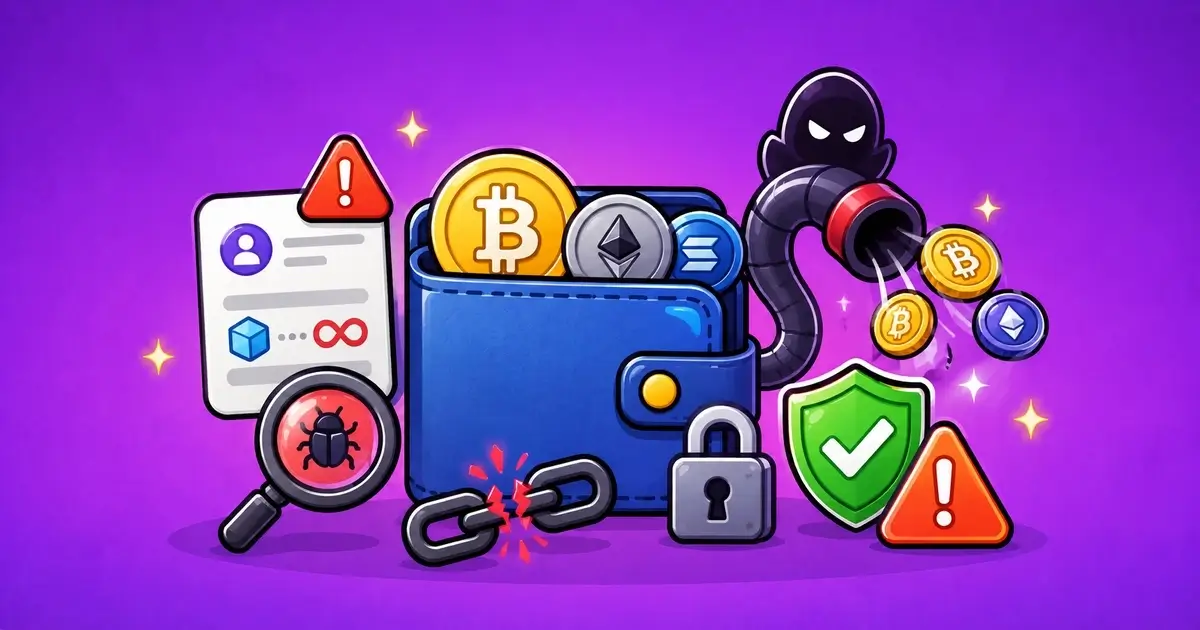
A crypto wallet drainer is a malicious website, contract, or signing flow designed to move assets from a wallet.
It does not always need your seed phrase.
Many drainers work by getting the user to connect a wallet and approve a transaction, token allowance, NFT permission, or signature that gives a contract the ability to move assets. The page may look like an airdrop, token claim, refund portal, bonus page, mint, support tool, or wallet verification screen.
The dangerous part is often not the first wallet connection. It is the request that follows.
This guide explains how wallet drainers work, why signatures and approvals matter, how to spot warning signs, and what to do if you already interacted with a suspicious page.
Related safety pages include Wallet Safety, Wallet Approvals: How to Check and Revoke, Crypto Phishing Websites: Warning Signs, Compromised Crypto Wallet: What to Do, and Crypto Scams and Warning Signs.
Key Takeaways
- Wallet drainers can move assets through malicious approvals, signatures, or contract interactions
- A drainer does not always need your seed phrase
- Connecting a wallet is usually less risky than signing, but the next prompt matters
- Fake airdrops, claim pages, support links, and verification pages are common traps
- Unlimited token approvals and NFT approvals should be reviewed carefully
- Disconnecting a site does not always revoke on-chain permissions
- If assets moved, save transaction hashes, wallet addresses, contract addresses, URLs, and screenshots
- If you entered your seed phrase, treat the whole wallet as compromised
What Is a Wallet Drainer?
A wallet drainer is a scam setup that tries to make a wallet owner approve an action that benefits the attacker.
It may be a fake website, fake support tool, fake mint, fake casino bonus page, fake airdrop, fake bridge, fake refund page, or copied DeFi app.
The goal is simple: make the wallet owner sign something that gives the attacker access to assets.
That access may involve:
- token approvals
- NFT approvals
- permit signatures
- malicious contract calls
- bundled transactions
- fake claim transactions
- fake “verify wallet” actions
- fake “sync wallet” actions
Some drainers are obvious.
Others look clean, polished, and close to the real platform they are copying.
That is why users should read the wallet prompt, not just the page design.
Wallet Drainer vs Seed Phrase Theft
A wallet drainer and seed phrase theft are related risks, but they are not the same.
Seed phrase theft gives someone the ability to restore the wallet somewhere else. That can expose the entire wallet.
A drainer may not know your seed phrase. It may only have permission to move certain tokens or NFTs because of something you signed.
That distinction matters because the response can be different.
If you signed a suspicious approval, revoking that approval may reduce future exposure.
If you entered your seed phrase, revoking approvals is not enough. The wallet itself should be treated as compromised.
Wallet Connection, Approval, Signature, and Seed Phrase Risk
| Action | Possible Risk | First Response |
|---|---|---|
| Wallet connection only | Usually lets a site see your public address | Lower risk unless you signed something |
| Token approval | Can let a contract spend a specific token | Review and revoke if suspicious |
| NFT approval | Can let a contract move NFTs or a collection | Check marketplace and collection permissions |
| Permit signature | Can approve token spending through a signed message | Harder to notice; check wallet activity |
| Seed phrase exposed | Can expose the whole wallet | Treat the wallet as compromised |
When you are unsure which happened, treat the wallet carefully until you understand the transaction history.
How Wallet Drainers Usually Work
A drainer usually starts with a reason to connect your wallet.
The reason may sound normal:
- claim an airdrop
- receive a refund
- verify wallet ownership
- unlock a withdrawal
- claim casino bonus funds
- mint a limited NFT
- fix a failed deposit
- revoke a suspicious approval
- bridge stuck funds
- check wallet eligibility
- join a presale
After the wallet connects, the page asks for a signature or transaction.
That request may approve token spending, approve NFT access, or perform a contract action that moves assets.
Common Wallet Drainer Setups
| Setup | How It Appears | What It Tries to Do |
|---|---|---|
| Fake claim page | The site promises an airdrop, refund, bonus, mint, or reward | It pushes the user to connect and sign quickly |
| Malicious approval | The wallet approves a contract to spend a token or NFT | The contract may later move approved assets |
| Permit signature | A signed message can grant spending permission without a normal approval screen | The user may not realize permission was given |
| Fake support link | A scammer sends a “fix,” “sync,” “verify,” or “recover” page | The page asks for wallet actions that expose assets |
| Bundled transaction | The request may include several actions at once | The risky action may be hidden inside the flow |
The scam works because the user thinks they are claiming, verifying, syncing, or fixing something.
In reality, they are giving permission or signing an action they do not fully understand.
Connecting a Wallet Is Not the Same as Signing
Connecting a wallet usually lets a website see your public wallet address.
That can expose your balances and activity to the website, but it does not usually give the site permission to move funds by itself.
Signing is different.
A signature, approval, or transaction can give permission or execute an action.
The dangerous moment is often when the wallet opens and asks you to confirm something.
Before confirming, ask:
- What action is this?
- Which token or NFT is involved?
- Which contract is receiving permission?
- Is the amount limited or unlimited?
- Does the request match what I expected?
- Is the message readable?
- Did I reach this page from an official source?
If the answer is unclear, reject the request.
Warning Signs of a Wallet Drainer
Wallet drainers rely on speed, pressure, and trust borrowed from real brands.
Wallet Drainer Warning Signs
| Warning Sign | What It May Mean | What to Do |
|---|---|---|
| Urgent wallet prompt | The site wants you to sign before you read | Stop and inspect the request |
| Free claim with pressure | Airdrop, bonus, or refund language is used to rush you | Check the official source first |
| Unreadable signature | The message does not clearly explain the action | Reject it if you do not understand it |
| Unlimited token approval | A contract may receive broad spending permission | Review the spender and token carefully |
| Seed phrase request | This is a separate full-wallet compromise risk | Close the page immediately |
Be especially careful with any page that says you must sign quickly to avoid losing access, missing a claim, unlocking funds, or fixing an urgent wallet issue.
Real crypto tools may ask for signatures, but they should not pressure you into signing something you do not understand.
Fake Airdrops and Claim Pages
Airdrops and claim pages are common drainer themes.
A fake claim page may say you are eligible for tokens, rewards, compensation, casino credits, staking refunds, NFT mints, or presale access.
The page may ask you to connect a wallet to check eligibility.
Then it asks for a signature or approval.
Sometimes the first step looks harmless. The second step is the problem.
Before using any claim page:
- check the official project website
- check verified social links
- avoid sponsored search ads
- avoid links from replies or DMs
- search the exact domain
- use a separate wallet if testing
- do not use a wallet holding meaningful funds
If the claim page asks for a seed phrase, it is unsafe.
Fake Support and Recovery Links
Wallet drainers often appear after a user has a problem.
For example, someone posts about a missing deposit, delayed withdrawal, failed swap, or compromised wallet. A fake support account replies with a link.
The message may say:
- “sync your wallet”
- “verify your wallet”
- “connect to recover”
- “open a support ticket here”
- “validate your transaction”
- “use this official recovery portal”
- “fix the stuck transfer”
- “approve to release funds”
These phrases should slow you down.
Support should not need your seed phrase.
Support should not need you to sign a strange wallet request from a link sent in a DM.
Use official support pages from the real website, not links from replies, Telegram accounts, Discord messages, or comments.
Malicious Token Approvals
A token approval gives a smart contract permission to spend a token from your wallet.
Approvals are normal in crypto. Swaps, DeFi apps, bridges, games, and marketplaces use them.
The risk comes from approving the wrong contract or giving too much permission.
A malicious approval may let a contract move approved tokens later.
An unlimited approval can be worse because the permission may cover a very large amount.
If you signed a suspicious approval, check your wallet approvals on the correct network and revoke permissions you do not recognize or no longer need.
Read Wallet Approvals: How to Check and Revoke for a full checklist.
NFT Drainers
Wallet drainers do not only target tokens.
They may also target NFTs.
A fake mint, marketplace, staking page, or collection claim can ask for permission to move NFTs. If approved, the contract may transfer valuable NFTs from the wallet.
Check NFT permissions carefully if you use marketplaces, mint pages, games, or staking tools.
Be careful with:
- fake collection websites
- copied mint pages
- “free mint” pressure
- fake whitelist pages
- marketplace approval requests
- collection-wide approvals
- links from Discord or X replies
If you hold valuable NFTs, consider using a separate wallet for minting and testing.
Permit Signatures
Some approvals can happen through signatures that do not look like normal token approvals.
A permit signature can give spending permission without a standard approval transaction first.
This can confuse users because the wallet may show a message instead of a familiar transaction screen.
That does not mean every permit signature is bad. Some legitimate apps use them.
But if the message is unclear, the site is unfamiliar, or the action does not match what you expected, reject it.
Do not sign unreadable messages just because a website says it is required for verification.
What to Do If You Interacted With a Drainer
Your response depends on what happened.
What to Do After a Possible Wallet Drainer Interaction
| What Happened | First Response |
|---|---|
| Connected only | Disconnect the site and check whether anything was signed |
| Signed approval | Review approvals on the correct network and revoke suspicious permissions |
| Assets moved | Save TXIDs, wallet addresses, contract addresses, and screenshots |
| Seed phrase entered | Create a clean wallet and move unaffected funds when safe |
| Fake support involved | Stop replying and save the messages as evidence |
If assets have already moved, do not waste time arguing with fake support.
Save evidence first.
Useful evidence includes:
- website URL
- transaction hash
- wallet address
- receiving address
- spender contract
- token contract
- screenshots
- social account or message link
- time and date
- wallet prompt screenshot, if available
This helps you understand what happened and may help others identify the same scam pattern.
If Assets Moved From the Wallet
If assets moved without a normal transfer you remember, check the transaction on a block explorer.
Look for:
- which token or NFT moved
- which contract initiated the movement
- which wallet received the asset
- whether an approval happened before the transfer
- whether other approvals remain active
- whether the same receiving address has other victims
- which network was used
This can help separate approval abuse from seed phrase compromise.
Approval abuse often involves a spender contract and a specific token or NFT.
Seed phrase compromise may show broader wallet control, repeated transfers, or movement across assets.
When unsure, treat the wallet as high risk.
If You Need to Revoke Approvals
Revoking can help when the risk is an approval or permission.
But use care.
Mistakes to Avoid After a Drainer Warning
| Mistake | Why It Can Make Things Worse |
|---|---|
| Using revoke links from DMs | Fake revoke pages can be another drainer |
| Adding gas too quickly | A sweeper bot may take the gas before you can act |
| Assuming disconnect fixes approvals | On-chain permissions may remain active |
| Ignoring other networks | Approvals can exist on multiple chains |
| Keeping funds in a risky wallet | A wallet with unknown activity should not be treated as safe |
Do not click a revoke link from the same place that sent the scam.
Search carefully, use trusted tools, or follow official wallet guidance.
Also remember that approvals are network-specific. If you used the wallet on several chains, check each relevant network.
If the Seed Phrase Was Exposed
If you entered your seed phrase into a website, sent it to support, typed it into a form, or imported it into a fake wallet app, the issue is more serious.
That wallet should not be treated as safe.
Do not keep storing funds there.
Do not assume revoking approvals fixes it.
A seed phrase lets someone restore the wallet and control it elsewhere.
Create a clean wallet with a new seed phrase on a trusted device. Move unaffected funds when safe. If gas is being taken instantly, stop and review before adding more.
Read Compromised Crypto Wallet: What to Do for a safer response order.
How to Reduce Wallet Drainer Risk
You cannot make every wallet action risk-free, but you can reduce the chance that one bad signature drains important assets.
Useful habits include:
- bookmark official crypto websites
- avoid links from ads, DMs, comments, and fake support replies
- use a separate wallet for claims, games, mints, and new apps
- keep long-term funds away from daily-use wallets
- read wallet prompts before signing
- avoid signing unreadable messages
- review approvals after using unfamiliar apps
- revoke old permissions you no longer need
- avoid unlimited approvals when a limited option is available
- check each network separately
- never enter recovery words on a website
The simplest protection is separation.
A test wallet should not hold everything.
Report a Wallet Drainer
If you found a wallet drainer, fake claim page, suspicious approval request, fake support link, copied wallet page, malicious contract, or repeated scam pattern, you can send a redacted report to [email protected].
Useful details may include:
- website URL
- wallet address
- transaction hash
- spender contract address
- receiving address
- token contract address
- screenshots
- social media account
- support username
- a short timeline
Do not send seed phrases, private keys, wallet passwords, authentication codes, full identity documents, or anything that could give access to your wallet or accounts.
TrendCrypt can review patterns and publish safety warnings, but we cannot access wallets, reverse blockchain transactions, recover funds, freeze attacker addresses, or guarantee that a platform or tool will respond.
Final Thoughts
Wallet drainers work because they turn normal crypto habits into risky actions.
Connecting a wallet, claiming tokens, minting an NFT, verifying ownership, or fixing a payment issue can feel routine. A drainer uses that routine to push a dangerous signature or approval.
The safest response is to slow down.
Check the domain. Check how you reached the page. Read the wallet prompt. Reject unreadable or unexpected requests. Use separate wallets for risky activity. Review approvals after suspicious interactions.
A drainer may not need your seed phrase.
One signature can be enough.
FAQ
What is a crypto wallet drainer?
A crypto wallet drainer is a malicious website, contract, or signing flow designed to move tokens, NFTs, or other assets from a wallet through approvals, signatures, or contract interactions.
Does a wallet drainer need my seed phrase?
Not always. Many drainers work without the seed phrase by tricking users into signing approvals, permit signatures, or transactions.
Is connecting my wallet enough to drain funds?
Connecting alone is usually not enough to move funds. The risk usually comes when you sign a transaction, approval, or message after connecting.
What is a malicious approval?
A malicious approval gives a contract permission to spend a token or NFT from your wallet. If the contract is unsafe, it may move approved assets.
Can NFTs be drained too?
Yes. NFT approvals can allow a contract to transfer NFTs or collections, especially through fake mint pages, marketplace copies, or collection approval requests.
What should I do if I signed something suspicious?
Check wallet activity, review approvals on the correct network, revoke suspicious permissions through trusted tools, and save transaction hashes, contract addresses, and screenshots.
What if I entered my seed phrase?
Treat the wallet as compromised. Create a new wallet with a fresh seed phrase and move unaffected funds when safe.
Can TrendCrypt recover drained funds?
No. TrendCrypt can review scam patterns and publish safety warnings, but we cannot reverse blockchain transactions, access wallets, freeze funds, or guarantee recovery.
Unexpected KYC During Withdrawal: What to Check
Learn what to check when a crypto platform or crypto casino asks for KYC during withdrawal, including verification timing, requested documents, privacy rules, support channels, and payout status.

Crypto Casino and Betting Scams: Warning Signs
Learn how crypto casino and betting scams use unclear ownership, fake bonuses, cloned sites, withdrawal release fees, private support messages, fake KYC links, and wallet-drainer tactics.

Fake Crypto Support Scams: Warning Signs
Learn how fake crypto support accounts target users after wallet, withdrawal, deposit, KYC, or account problems by pretending to represent platforms, exchanges, casinos, wallets, or recovery teams.