
TrendCrypt Guide
Crypto Wallet Signatures Explained
Learn how crypto wallet signatures work, why some signatures are harmless while others can create token permissions, approval risk, phishing risk, or wallet-drainer exposure.
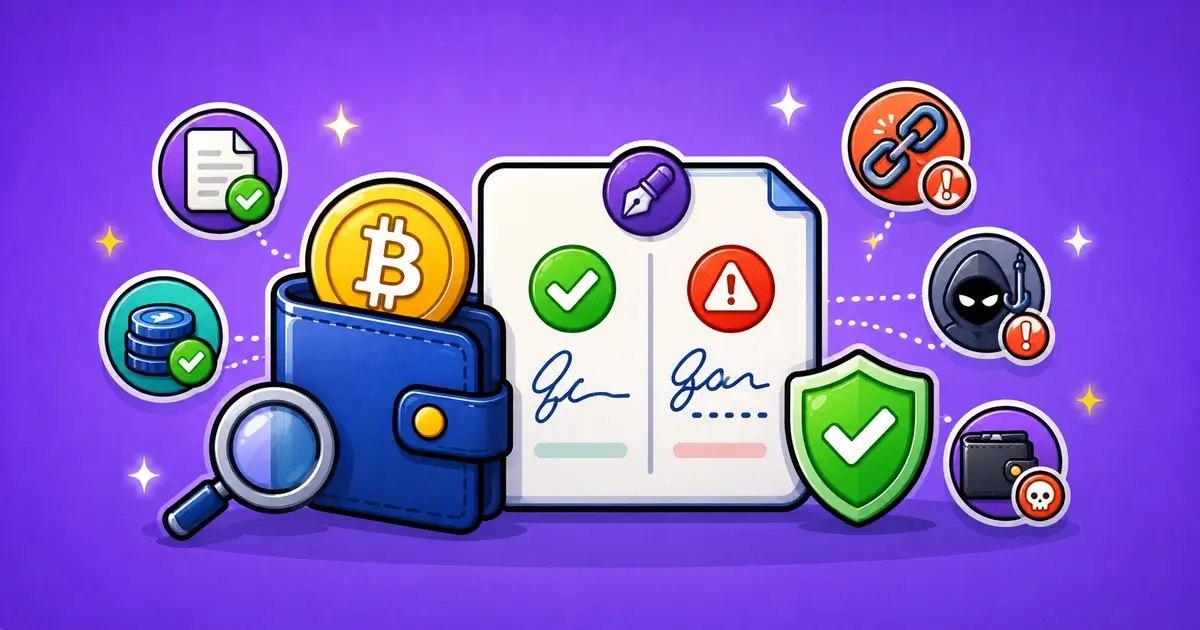
A crypto wallet signature is a way for your wallet to approve, confirm, or prove something.
Sometimes a signature is simple. It may only prove that you control a wallet address so you can log in to a website.
Other signatures are more serious. They may approve token spending, list an NFT, authorize an order, interact with a contract, or create permission that is hard to notice at first.
This is why wallet signatures need careful reading.
Not every signature moves funds immediately. Not every signature is dangerous. But some signatures can create real wallet risk, especially when they come from fake websites, fake support links, claim pages, wallet drainers, or phishing messages.
This guide explains how crypto wallet signatures work, what the main signature types mean, which warning signs to check, and what to do if you signed something suspicious.
Related safety pages include Wallet Safety, Crypto Wallet Drainers Explained, Wallet Approvals: How to Check and Revoke, Crypto Wallet Phishing Scams: Warning Signs, and Editorial Policy.
Key Takeaways
- A wallet signature is not always the same as a fund transfer
- Some signatures only prove wallet ownership for login
- Other signatures can approve token spending, NFT actions, orders, or contract permissions
- Gas-free signatures are not automatically safe
- Permit signatures can create token approval risk without a normal approval transaction
- Unreadable, unexpected, urgent, or confusing signature requests should be rejected
- If you signed a suspicious approval or permit, check wallet approvals on the correct network
- If you entered your seed phrase, treat the wallet as compromised
What Is a Crypto Wallet Signature?
A wallet signature is a confirmation made by your wallet.
It proves that the wallet owner approved a message, data request, transaction, or contract interaction.
Wallet signatures are used across crypto for things like:
- logging in with a wallet
- proving wallet ownership
- accepting terms
- approving token spending
- signing marketplace orders
- listing NFTs
- claiming tokens
- interacting with DeFi apps
- using bridges
- verifying wallet eligibility
- confirming on-chain transactions
Some signatures stay off-chain. That means they do not immediately create a blockchain transaction.
Other signatures approve an on-chain action or are later used by a contract.
The important thing is not only whether gas is charged.
The important thing is what the signature allows.
Signature vs Transaction
A signature and a transaction are related, but they are not always the same.
A transaction is usually broadcast to the blockchain. It may move funds, interact with a contract, approve spending, mint, swap, bridge, or change on-chain state.
A message signature may not immediately appear as a transaction. It may simply prove that you control a wallet address.
But some message signatures can still be powerful.
A signed message can sometimes authorize a future action, approve a token through a permit, or confirm an order that another party can submit later.
That is why “no gas fee” does not always mean “no risk.”
Common Types of Wallet Signatures
Wallets may show different kinds of requests.
Common Crypto Wallet Signature Types
| Signature Type | What It Usually Means | How to Read It |
|---|---|---|
| Login signature | Used to prove wallet ownership without a password | Usually lower risk if the message is clear and from the real site |
| Message signature | Signs text or structured data from a website or app | Read the message and check the domain before signing |
| Typed data signature | Signs structured data that may include permissions or orders | Review the action, contract, token, amount, and deadline |
| Permit signature | Can approve token spending without a normal approval transaction | High risk if you do not understand the spender and token |
| Transaction signature | Approves an on-chain action that may move funds or change permissions | Check asset, amount, contract, and network before confirming |
A normal login signature on a trusted website can be low risk.
A permit signature on a fake claim page is different.
The context matters.
Wallet Connection Is Not the Same as a Signature
Connecting a wallet usually lets a website see your public wallet address and request actions.
By itself, a connection usually does not give the website permission to move funds.
A signature is the next step.
The risk increases when the site asks you to sign, approve, confirm, claim, verify, sync, or validate something.
Wallet Actions and Risk Level
| Action | Possible Risk | What to Check |
|---|---|---|
| Connecting wallet | Usually lets the site see your public address | Lower risk, but still check the website |
| Signing a login message | Usually proves wallet ownership | Check that the domain and message are expected |
| Signing typed data | May authorize an order, listing, approval, or permission | Read each field carefully |
| Signing a permit | May let a contract spend tokens later | Treat as higher risk |
| Signing a transaction | Can move assets or change on-chain permissions | Review before confirming |
Do not panic every time a wallet connects.
But do not ignore the prompt that follows.
Why Gas-Free Signatures Can Still Be Risky
Many users feel safer when a wallet prompt has no gas fee.
That can be misleading.
Some signatures do not cost gas because they are not immediately broadcast as a normal transaction. But they may still authorize something useful to a contract or attacker.
For example, a signature may:
- approve token spending through a permit
- authorize an NFT listing
- confirm an order
- prove wallet ownership to a phishing site
- accept risky terms
- allow another party to submit the signed data later
This does not mean every gas-free signature is bad.
It means you should still read it.
If the message is unclear, unexpected, or appears on a website reached from a DM, ad, fake support link, or copied domain, reject it.
Permit Signatures
Permit signatures are important because they can approve token spending without a normal approval transaction first.
That can be useful for real apps.
It can also be abused by phishing sites and wallet drainers.
A permit may include:
- token address
- spender address
- amount
- deadline
- nonce
- owner address
- chain ID
If you do not recognize the spender, token, or purpose, do not sign.
Be especially careful when a page says you are only verifying, claiming, syncing, or checking eligibility, but the wallet prompt includes approval-style wording.
For approval risk, read Wallet Approvals: How to Check and Revoke.
Typed Data Signatures
Some wallets show structured data signatures.
These can be easier to read than raw text, but they can still be confusing.
Typed data may include fields such as:
- domain
- contract
- spender
- token
- amount
- order
- deadline
- salt
- nonce
- chain ID
- verifying contract
Do not skip these fields.
They often tell you what the signature is really about.
If a message says “Sign in” but the data includes a spender, token amount, marketplace order, or contract permission, stop and review it carefully.
Warning Signs Before Signing
Some signing requests deserve extra caution.
Wallet Signature Warning Signs
| Warning Sign | What It May Mean | First Response |
|---|---|---|
| Unreadable message | You cannot tell what the signature allows | Reject it unless you can verify the request |
| Unexpected signing request | The site asks you to sign for something unrelated | Stop and check the domain and source |
| Urgent pressure | The page pushes you to sign quickly | Slow down and verify through official links |
| Permit or approval wording | The signature may grant token spending permission | Check spender, token, amount, and deadline |
| Seed phrase request | This is not a signature request; it is full wallet compromise risk | Close the page immediately |
The strongest warning signs are:
- the message is unreadable
- the request is unexpected
- the site creates urgency
- the domain looks wrong
- the signature mentions approvals or permissions
- the request came from a DM, ad, or fake support page
- the site asks for a seed phrase
A seed phrase request is not normal signing behavior.
No signature, login, support check, or wallet verification should require recovery words.
What to Check Before Signing
Before signing, slow down and check the request.
What to Check Before Signing With a Wallet
| Check | Why It Matters | What to Do |
|---|---|---|
| Domain | Shows whether you are on the real website | Avoid signing from ads, DMs, copied sites, or short links |
| Message content | Explains what the signature is supposed to do | Reject vague or unreadable messages |
| Network | Shows which chain the request applies to | Check Ethereum, BNB Chain, Polygon, Base, Arbitrum, and others separately |
| Contract or spender | Shows who may receive permission | Compare with the official app or documentation |
| Amount and deadline | Shows how much and how long the permission may last | Be careful with unlimited or long-lasting permissions |
Also ask yourself:
- Did I open this site from an official link?
- Did I expect a signature at this step?
- Does the message match the action I am taking?
- Does the wallet show a token, spender, or amount?
- Is the signature time-limited?
- Am I using my main wallet?
- Would I be okay if this wallet were exposed?
If the answer feels unclear, reject the request.
You can always investigate before signing again.
Fake “Verify Wallet” Signatures
Phishing pages often use harmless-sounding language.
They may ask you to:
- verify your wallet
- sync your wallet
- validate your account
- unlock your withdrawal
- claim a refund
- confirm eligibility
- restore access
- activate rewards
- secure your wallet
- connect to support
These phrases do not explain what the signature does.
If a page asks for a signature, read the wallet prompt itself.
Do not trust the website text alone.
Fake support pages often use “verify” and “sync” wording to push users into risky approvals or signatures.
For a broader phishing checklist, read Crypto Wallet Phishing Scams: Warning Signs.
Signatures and Wallet Drainers
Wallet drainers often rely on signatures.
The drainer may look like a claim page, mint page, recovery portal, casino bonus page, airdrop, DeFi app, or wallet support tool.
The page creates a reason to sign.
Then the signature or transaction gives permission to move assets, approve tokens, list NFTs, or authorize a contract action.
A drainer may not need your seed phrase.
It only needs one useful signature.
Read Crypto Wallet Drainers Explained for the full warning-sign checklist.
If You Signed Something Suspicious
The right response depends on what you signed.
What to Do After a Suspicious Signature
| What Happened | First Response |
|---|---|
| Signed a normal login message | Check account activity and disconnect the site if you do not trust it |
| Signed an unclear message | Save the URL and screenshot, then check wallet activity |
| Signed a token approval or permit | Review wallet approvals and revoke suspicious permissions on the correct network |
| Signed a transaction | Check the transaction hash, moved assets, contract, and receiving address |
| Entered seed phrase | Treat the wallet as compromised and create a clean wallet |
Save evidence before closing everything.
Useful evidence includes:
- website URL
- wallet address
- transaction hash, if one exists
- signed message screenshot, if available
- spender contract
- token contract
- receiving address
- support message or social account
- time and date
- how you reached the page
If the signature created an approval, check approvals on the correct network.
If assets moved, save the TXID and receiving address.
If a seed phrase was entered, the wallet should be treated as compromised.
If There Is No Transaction Hash
Sometimes a suspicious signature will not create a transaction hash immediately.
That can happen with off-chain signatures or signed data that may be used later.
If there is no TXID, save what you can:
- page URL
- wallet prompt screenshot
- website screenshot
- browser history
- connected site record
- wallet activity
- message text
- typed data fields
- social message or email that sent the link
Then check whether any approvals or transactions appear later.
Disconnect the site if you do not trust it, but remember: disconnecting is not always the same as revoking on-chain permissions.
Review Approvals After Risky Signatures
If the signature involved token spending, permit wording, or an unfamiliar app, review wallet approvals.
Check:
- correct wallet address
- correct network
- approved token
- spender contract
- allowance amount
- NFT permissions
- old or unlimited approvals
- suspicious recent approvals
Approvals are network-specific.
If you used the wallet on Ethereum, BNB Chain, Polygon, Base, Arbitrum, Optimism, or another network, check the relevant networks separately.
Use trusted tools or official wallet guidance.
Do not click revoke links from DMs, comments, fake support accounts, or suspicious websites.
Mistakes to Avoid
A signing mistake can get worse if the next step is rushed.
Mistakes to Avoid With Wallet Signatures
| Mistake | Why It Can Make Things Worse |
|---|---|
| Signing because the page looks official | Copied websites can look almost identical to real platforms |
| Ignoring the message text | The wallet prompt may reveal what is being approved |
| Assuming gas-free means risk-free | Some signatures cost no gas but can still grant permission |
| Using revoke links from strangers | Fake revoke tools can be another phishing trap |
| Using one wallet everywhere | One bad signature can expose valuable assets |
The most common mistake is signing because the page feels familiar.
Scammers copy familiar pages because familiarity lowers caution.
Read the prompt, not just the logo.
Safer Wallet Signing Habits
Good habits reduce the damage from one bad prompt.
Use these habits:
- bookmark important crypto websites
- avoid signing from links in DMs, ads, and comments
- use a separate wallet for claims, mints, games, and testing
- keep long-term funds away from daily-use wallets
- read wallet prompts before signing
- reject unreadable messages
- avoid signing under pressure
- review approvals after using unfamiliar apps
- disconnect sites you no longer use
- check each network separately
- never enter seed phrases into websites
The strongest habit is separation.
Do not use the same wallet for everything.
How TrendCrypt Reviews Signature Risk
TrendCrypt treats wallet-signature clarity as a safety issue.
In wallet-safety and platform-risk content, we look at whether websites make signing requests understandable, whether users are pushed into urgent signatures, whether support links lead to wallet prompts, and whether approval risk is explained clearly.
A safe signing flow should make the action clear.
A risky flow often hides the real permission behind words like “verify,” “sync,” “claim,” or “unlock.”
For more detail about our research approach, read Editorial Policy.
Report a Suspicious Signature Request
If you found a suspicious signature request, fake wallet verification page, malicious approval, wallet-drainer prompt, fake support link, or copied crypto website, you can send a redacted report to [email protected].
Useful details may include:
- website URL
- wallet address
- screenshots
- signed message text
- transaction hash, if available
- spender contract
- token contract
- receiving address
- social media account or support username
- a short timeline
Do not send seed phrases, private keys, wallet passwords, authentication codes, full identity documents, or anything that could give access to your wallet or accounts.
TrendCrypt can review patterns and publish safety warnings, but we cannot access wallets, reverse blockchain transactions, recover funds, revoke permissions for you, freeze addresses, or guarantee that a platform will respond.
Final Thoughts
Wallet signatures are part of normal crypto use.
They can help you log in, prove wallet ownership, interact with apps, use marketplaces, trade, claim, bridge, or approve actions.
But a signature is still a decision.
Some signatures are harmless. Some are powerful. Some are dangerous because they approve permissions that users do not notice.
Do not sign only because a page looks professional or says the request is required.
Check the domain, message, network, spender, token, amount, and reason. Reject anything unclear. Use separate wallets for risky activity. Review approvals after suspicious prompts.
A signature may not move funds immediately.
But the wrong one can still matter later.
FAQ
What is a crypto wallet signature?
A crypto wallet signature is a confirmation made by your wallet. It can prove wallet ownership, approve a message, authorize an order, or confirm an on-chain transaction.
Is a wallet signature the same as a transaction?
Not always. Some signatures are off-chain and do not immediately create a blockchain transaction. Others approve or confirm on-chain actions.
Can a gas-free signature be dangerous?
Yes. Some gas-free signatures can still authorize token spending, orders, permits, or actions that may be used later.
What is a permit signature?
A permit signature can approve token spending through a signed message instead of a normal approval transaction. It can be useful, but risky if signed on a fake or malicious site.
Is connecting a wallet the same as signing?
No. Connecting usually lets a site see your public wallet address. Signing confirms a message, approval, transaction, or permission.
What should I check before signing?
Check the domain, message, network, contract, spender, token, amount, deadline, and whether the request matches what you intended to do.
What should I do if I signed something suspicious?
Save evidence, check wallet activity, review approvals on the correct network, revoke suspicious permissions through trusted tools, and treat the wallet carefully until you understand the risk.
Should I ever enter my seed phrase to sign something?
No. A website should not need your seed phrase, private key, or recovery words for signing. If you entered them, treat the wallet as compromised.
Unexpected KYC During Withdrawal: What to Check
Learn what to check when a crypto platform or crypto casino asks for KYC during withdrawal, including verification timing, requested documents, privacy rules, support channels, and payout status.
Crypto Casino and Betting Scams: Warning Signs
Learn how crypto casino and betting scams use unclear ownership, fake bonuses, cloned sites, withdrawal release fees, private support messages, fake KYC links, and wallet-drainer tactics.

Fake Crypto Support Scams: Warning Signs
Learn how fake crypto support accounts target users after wallet, withdrawal, deposit, KYC, or account problems by pretending to represent platforms, exchanges, casinos, wallets, or recovery teams.