
TrendCrypt Guide
Crypto Wallet Phishing Scams: Warning Signs
Learn how crypto wallet phishing scams use fake support accounts, copied websites, airdrops, urgent alerts, and wallet prompts to make users sign risky requests or reveal sensitive information.
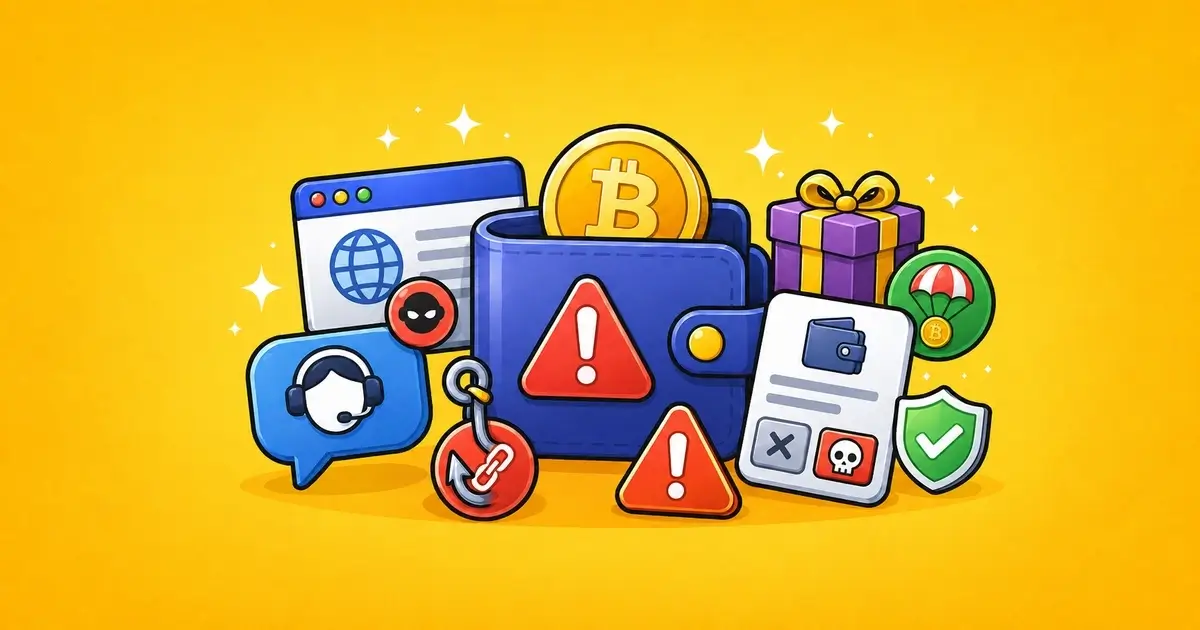
Crypto wallet phishing is a scam designed to make a user reveal something sensitive or sign something dangerous.
It may come through a fake website, fake support account, fake airdrop, copied wallet page, urgent security message, Discord reply, Telegram DM, sponsored search ad, or social media comment.
The message usually has one goal: make you act before you think.
Sometimes the scam asks for a password or two-factor code. Sometimes it asks for a seed phrase. Other times it does not ask for private information at all. It only needs a wallet signature, token approval, NFT approval, or permit that gives a contract permission to move assets.
This guide explains how crypto wallet phishing scams work, which warning signs matter, and what to do if you already clicked, connected, signed, or shared information.
Related safety pages include Wallet Safety, Crypto Scams and Warning Signs, Crypto Phishing Websites: Warning Signs, Crypto Wallet Drainers Explained, and Editorial Policy.
Key Takeaways
- Wallet phishing can happen through fake websites, fake support, fake airdrops, urgent alerts, and copied social accounts
- The scam may ask for a password, 2FA code, seed phrase, wallet connection, approval, or signature
- A clean-looking page does not prove the request is safe
- Never enter seed phrases, private keys, recovery words, or wallet passwords on a website
- Connecting a wallet is usually less risky than signing, but the next wallet prompt matters
- Fake support often appears after users post about missing deposits, delayed withdrawals, or wallet problems
- If you signed something suspicious, check wallet approvals and transaction history
- If you entered your seed phrase, treat the wallet as compromised
What Is Crypto Wallet Phishing?
Crypto wallet phishing is an attempt to trick a wallet owner into giving up access, information, or permission.
It can target:
- seed phrases
- private keys
- wallet passwords
- exchange passwords
- two-factor codes
- token approvals
- NFT approvals
- permit signatures
- wallet connection permissions
- account recovery details
- payment or withdrawal information
Some phishing scams are simple. A fake page asks for your recovery phrase.
Others are more subtle. A site asks you to connect a wallet and sign what looks like a harmless verification message. The wallet prompt may actually approve spending, authorize a contract, or create permission that can be abused later.
The scam does not always need your seed phrase.
One risky signature can be enough.
Common Wallet Phishing Setups
Most wallet phishing scams are built around a believable situation.
The user may be trying to solve a real problem, claim something, contact support, or protect an account.
Common Crypto Wallet Phishing Setups
| Setup | How It Works | Safer Response |
|---|---|---|
| Fake support account | A scammer pretends to help with a deposit, withdrawal, wallet, or platform issue | Use only support links from the official website |
| Fake airdrop or claim | The page promises free tokens, refunds, rewards, or bonuses | Check official project links before connecting a wallet |
| Urgent security message | The user is told funds or account access are at risk | Do not click the link; open the platform directly |
| Copied website | The page looks like a real wallet, exchange, casino, or DeFi app | Check the exact domain before logging in or signing |
| Malicious wallet prompt | The request may approve token spending or sign permission | Reject unclear or unexpected wallet requests |
The scam works best when the user is already stressed.
That is why fake support accounts often reply to public complaints about missing deposits, delayed withdrawals, failed swaps, locked accounts, or compromised wallets.
Fake Support Accounts
Fake support is one of the most common wallet phishing routes.
A scammer may reply under a post or send a private message pretending to represent:
- a wallet app
- an exchange
- a crypto casino
- a DeFi protocol
- a bridge
- an NFT marketplace
- a token project
- a payment service
- a recovery team
The message may look helpful.
It may include a ticket number, staff name, logo, copied help-center language, or a link to a “support portal.”
Be careful when support asks you to:
- connect your wallet through a link
- verify wallet ownership
- sync your wallet
- validate a transaction
- restore account access
- unlock funds
- pay a release fee
- share a seed phrase
- send a 2FA code
- install a wallet extension
Real support may ask for a transaction hash, account ID, username, or screenshot.
Real support should not ask for recovery words, private keys, wallet passwords, or authentication codes.
Phrases That Should Slow You Down
Phishing messages often repeat the same kind of language.
Common Phishing Phrases
| Phrase | Why It Is Risky | What to Do |
|---|---|---|
| “Verify your wallet” | Often used to push a signature or approval | Real support should not need a risky wallet signature |
| “Sync your wallet” | Common phrase on fake recovery pages | Close the page and check wallet activity safely |
| “Claim before expiry” | Creates pressure to sign quickly | Check the official project source first |
| “Your account is locked” | May be used to steal login details or 2FA codes | Go to the real site manually |
| “Pay to unlock funds” | Can be part of an advance-fee scam | Do not send more crypto without verifying the claim |
The words may change, but the pressure is similar.
The scammer wants you to believe that delay will cost you money, access, or a limited opportunity.
That pressure is the warning sign.
Fake Airdrops, Claims, and Rewards
Airdrops are a common phishing theme because the offer sounds simple: connect wallet, check eligibility, claim reward.
A fake claim may promise:
- free tokens
- refund tokens
- staking rewards
- casino bonus credits
- NFT whitelist access
- presale allocation
- bridge compensation
- wallet security reimbursement
- exchange compensation
- loyalty rewards
The page may ask for a wallet connection first.
Then it may ask for a signature, approval, or transaction.
Before using any claim page, check the source. Use official project links, not replies, DMs, copied ads, or short links.
Do not use your main wallet to test unfamiliar claims.
Fake Security Alerts
Another common wallet phishing tactic is urgency.
A message may say:
- your wallet is at risk
- your account will be closed
- your funds are frozen
- your seed phrase must be verified
- your withdrawal is blocked
- your wallet must be synced
- your deposit needs validation
- your 2FA must be reset
- your assets will be lost unless you act
This kind of message is meant to bypass normal caution.
Do not click the link inside the alert.
Open the real platform or wallet app directly through a bookmark, official app, or manually typed URL.
If the alert was real, you should still see the issue from the official account area.
Wallet Prompts: What to Watch For
A phishing page usually becomes dangerous when the wallet opens and asks you to confirm something.
Wallet Prompts and Possible Risks
| Prompt Type | Possible Risk | What to Check |
|---|---|---|
| Connection request | Usually lets the site see your public wallet address | Lower risk, but still check the site |
| Token approval | Can let a contract spend a token | Review the token, spender, and allowance |
| NFT approval | Can let a contract move NFTs or a collection | Be careful with mints and marketplaces |
| Permit signature | Can grant spending permission through a message | Reject if the message is unclear |
| Seed phrase request | Can expose the whole wallet | Close the page immediately |
A wallet prompt should make sense for the action you are trying to take.
If you are only trying to read a help article, you should not need to approve token spending.
If you are only checking a deposit, you should not need to sign a message from an unknown contract.
If you are only contacting support, you should not need to enter a seed phrase.
Seed Phrase Requests Are a Hard Stop
A seed phrase is not a support code.
It is not a login method.
It is not needed to check a transaction.
It is not needed to verify a wallet.
It is not needed to fix a deposit.
It is not needed to unlock a withdrawal.
It is not needed to revoke approvals.
If a website, support agent, app, form, or bot asks for a seed phrase, private key, recovery phrase, or wallet backup words, stop.
Once a seed phrase is exposed, the wallet should not be treated as safe.
Changing a password does not fix a leaked seed phrase.
Revoking approvals does not fix a leaked seed phrase.
You may need a clean wallet with a new seed phrase.
Read Compromised Crypto Wallet: What to Do if this already happened.
Phishing Around Missing Deposits and Withdrawals
Users are more likely to make mistakes when money is stuck.
Scammers know this.
If you post about a missing crypto deposit or delayed withdrawal, fake support accounts may reply quickly. They may say they can fix it through a wallet link, recovery form, validation page, or private chat.
Do not trust support links from:
- replies
- comments
- DMs
- Telegram messages
- Discord messages
- unofficial emails
- sponsored ads
- copied support profiles
For missing deposits, use the official platform support page and your transaction hash. Read Crypto Deposit Not Showing? What to Check.
For delayed casino withdrawals, read Delayed Crypto Casino Withdrawals.
Copied Websites and Lookalike Domains
Phishing often uses copied websites.
A fake page may use the same logo, colors, layout, buttons, login fields, and help text as the real platform.
Check the domain carefully.
Watch for:
- misspelled brand names
- extra words
- added hyphens
- unusual domain endings
- fake login subdomains
- short links
- sponsored search results
- copied regional domains
- domains sent by support accounts
A polished design is not proof.
The exact URL matters more than the logo.
For a deeper website checklist, read Crypto Phishing Websites: Warning Signs.
If You Already Interacted With a Phishing Scam
The right response depends on what happened.
What to Do After Possible Wallet Phishing
| What Happened | First Response |
|---|---|
| Clicked the link only | Close the page and avoid returning through the same link |
| Entered password | Change it from the real website and secure email access |
| Entered 2FA code | Check sessions, withdrawals, API keys, and contact official support |
| Connected wallet only | Disconnect the site and check whether anything was signed |
| Signed approval or message | Review wallet approvals and activity on the correct network |
| Entered seed phrase | Treat the wallet as compromised |
Save evidence before closing everything.
Useful evidence may include:
- website URL
- message screenshots
- sender username
- email sender address
- wallet address
- transaction hash
- spender contract
- token contract
- support chat transcript
- time and date
- what you clicked or signed
Do not send seed phrases, private keys, wallet passwords, authentication codes, or full identity documents to anyone offering to help.
If You Entered a Password or 2FA Code
If you entered login details on a phishing page, use the real platform website or app to secure the account.
Check:
- password
- email access
- two-factor authentication
- active sessions
- withdrawal addresses
- API keys
- account recovery settings
- linked phone number
- recent login history
- recent withdrawals or transfers
If the same password was used elsewhere, change it there too.
Start with email, exchange accounts, wallet services, and payment accounts.
A stolen email account can create more problems than one stolen platform password.
If You Signed a Wallet Approval or Message
If you signed something suspicious, check the wallet activity and approvals.
Look for:
- token approvals
- NFT approvals
- permit signatures
- outgoing transfers
- unknown contract interactions
- approvals on other networks
- new transactions after the signature
Do not use a revoke link sent by the same account or website that caused the problem.
Use trusted tools, official wallet guidance, or known block explorer approval pages.
Read Wallet Approvals: How to Check and Revoke for the full process.
If Assets Already Moved
If tokens or NFTs already moved from the wallet, save the transaction hash and receiving address.
Check whether the movement came from:
- a normal transfer
- a contract interaction
- a token approval
- an NFT approval
- a permit signature
- a seed phrase compromise
This helps you understand the level of risk.
If the wallet may still have valuable assets, do not assume it is safe.
If a seed phrase was exposed, create a clean wallet. If only an approval was abused, revoking suspicious approvals may help reduce future exposure.
When unsure, treat the wallet as high risk.
Mistakes to Avoid
A phishing problem can become worse if the next step is rushed.
Mistakes to Avoid With Wallet Phishing
| Mistake | Why It Can Make Things Worse |
|---|---|
| Trusting a helpful DM | Fake support often appears after public complaints |
| Clicking search ads for wallet tools | Fake sites can appear above real results |
| Signing unreadable prompts | The request may grant permission you did not expect |
| Assuming disconnect removes approvals | On-chain approvals may remain active |
| Using your main wallet everywhere | One bad signature can expose important assets |
The follow-up scam is common.
After a user loses funds or posts about a phishing attempt, another scammer may offer recovery help, a revoke tool, or a private support link.
Be careful with anyone who appears after the problem and says they can fix everything quickly.
Safer Wallet Habits
Good habits reduce the damage from one bad link.
Useful habits include:
- bookmark important crypto websites
- avoid login links from ads
- avoid wallet links from DMs or comments
- use a separate wallet for claims, mints, games, and testing
- keep long-term funds away from daily-use wallets
- read wallet prompts before signing
- reject unreadable or unexpected signatures
- review approvals after unfamiliar activity
- use unique passwords
- protect your email account
- remove browser extensions you do not use
- never share recovery words
The safest wallet is not the one that clicks everything carefully.
It is the one that does not expose all funds to one signing mistake.
Report a Wallet Phishing Scam
If you found a wallet phishing scam, fake support account, copied website, fake airdrop, malicious wallet prompt, or suspicious message pattern, you can send a redacted report to [email protected].
Useful details may include:
- phishing URL
- copied brand name
- screenshots
- sender username
- email address
- social media link
- wallet address
- transaction hash
- spender contract
- token contract
- a short timeline
Do not send seed phrases, private keys, wallet passwords, authentication codes, full identity documents, or anything that could give access to your wallet or accounts.
TrendCrypt can review patterns and publish safety warnings, but we cannot access wallets, reverse blockchain transactions, recover funds, freeze addresses, or guarantee that a platform will respond.
Final Thoughts
Wallet phishing does not always look like an obvious scam.
Sometimes it looks like support. Sometimes it looks like a security alert. Sometimes it looks like an airdrop, bonus, refund, verification page, or wallet tool.
The page may be polished. The message may sound urgent. The support account may look helpful.
The safest move is to slow down before signing or sharing anything.
Check the source. Check the domain. Read the wallet prompt. Never enter seed phrases. Avoid links from DMs, comments, replies, and ads. Use separate wallets for risky activity.
A phishing scam usually needs one rushed action.
Do not give it that moment.
FAQ
What is crypto wallet phishing?
Crypto wallet phishing is a scam that tries to make users reveal sensitive information or sign risky wallet requests through fake websites, support accounts, airdrops, security alerts, or copied platforms.
Can wallet phishing happen without sharing my seed phrase?
Yes. Some scams use token approvals, NFT approvals, permit signatures, or contract interactions instead of seed phrase theft.
Is connecting a wallet dangerous?
Connecting alone is usually less risky than signing. The bigger risk usually comes when the site asks you to approve, sign, claim, verify, or confirm something.
What is the biggest wallet phishing warning sign?
A seed phrase request is a hard stop. No support agent, website, wallet checker, or recovery page should ask for your recovery words.
What should I do if I signed a suspicious wallet request?
Check wallet activity, review approvals on the correct network, revoke suspicious permissions through trusted tools, and save transaction hashes and contract addresses.
What should I do if I entered my seed phrase?
Treat the wallet as compromised. Create a new wallet with a fresh seed phrase and move unaffected funds when safe.
Are fake support accounts common?
Yes. Fake support accounts often reply to users who post about missing deposits, delayed withdrawals, wallet problems, or platform complaints.
Can TrendCrypt recover funds from wallet phishing?
No. TrendCrypt can review scam patterns and publish safety warnings, but we cannot reverse transactions, access wallets, freeze funds, or guarantee recovery.
Unexpected KYC During Withdrawal: What to Check
Learn what to check when a crypto platform or crypto casino asks for KYC during withdrawal, including verification timing, requested documents, privacy rules, support channels, and payout status.
Crypto Casino and Betting Scams: Warning Signs
Learn how crypto casino and betting scams use unclear ownership, fake bonuses, cloned sites, withdrawal release fees, private support messages, fake KYC links, and wallet-drainer tactics.
Fake Crypto Support Scams: Warning Signs
Learn how fake crypto support accounts target users after wallet, withdrawal, deposit, KYC, or account problems by pretending to represent platforms, exchanges, casinos, wallets, or recovery teams.